Ask ChatGPT for a logo, like it, ask for one small change, and get back a different logo. That “change one thing, change everything” problem is what OpenAI says ChatGPT Images 2.6, released on 4 November 2026, is built to fix. It adds animated GIFs, saved reference images of yourself, a pet or a character, and two API models, GPT-Image-2.6 Flare and Sunburst, which OpenAI says generate images 50 percent faster. What the announcement leaves out is in OpenAI’s own token calculator: the price per token is unchanged, but a low-quality image now consumes more than four times the tokens it did in 2.5. For European teams there is a second thing to settle before anyone saves a colleague’s face as a reference. Here is what changes, what it costs, where the EU rules bite, and a fifteen-minute test that tells you whether scene five still looks like scene one.
What ChatGPT users get
Images 2.6 is live in ChatGPT and, according to OpenAI, in Codex, its coding agent, across all subscription tiers on web, desktop and mobile. Hacker News users did report that the Codex command line could not make GIFs yet on day one. OpenAI says people now create well over 4 billion images a week across ChatGPT, Codex and the API, a billion more than in September. Two features stand out.
- GIFs. Type a prompt (“make a gif of a cat dancing”) or hand over a photo, a sketch or a mascot and ChatGPT turns it into a short loop. You can change the speed and edit individual frames. It is not video: the model draws a series of frames of the same character and strings them together like a flipbook. In the API the default is 9 frames of 200 milliseconds, 1.8 seconds in total.
- Saved reference images. Store a picture of yourself, your dog or a character once, then reuse it in new prompts without uploading it again. Until now every new scene meant re-uploading the photo and hoping Biscuit still looked like Biscuit. Where ChatGPT stores those references and how many you can keep is not in the documentation we could verify.
Two API models, Flare and Sunburst
Developers get the same split as with Images 2.5 in September. GPT-Image-2.6 Flare is built for speed and for layout work such as posters and product imagery; at low quality it produces an image “in as little as six seconds”, according to OpenAI. GPT-Image-2.6 Sunburst targets detail and edits that stay consistent, at medium or high quality. Both run on the Image API (generations and edits) and share the same token rates: $8 per million image input tokens, $30 per million output tokens and $5 per million text tokens, per OpenAI’s pricing page. One detail: 2.5 is also listed in the Batch table at half price, 2.6 is not.
Three further controls, some already familiar from ChatGPT, now reach the API.
- Image markup. Instead of typing “shrink the logo on the sleeve, no, the OTHER sleeve”, you draw a circle on a transparent PNG and send it as an annotation layer. The model changes only that spot. Markup cannot be combined with a mask, and the annotation must match the first image’s dimensions exactly.
- SVG export. Request
output_format: "svg"and you get a vector file: shapes stored as instructions rather than pixels, so it stays sharp at any size and a designer can still edit it. The model first renders a normal reference image, then has a language model write the SVG from it; you pay for both. One SVG per request, generation only, no scripts or embedded photos. We could not establish how it handles photo-like images, so try a logo first. - Complexity. A new setting, separate from
quality, that controls how much the model plans before it draws:low,mediumorhigh, withhighas the default. OpenAI recommendslowfor quick, focused edits such as swapping a background or a sign, andmediumorhighfor crowded scenes with dense text, layouts and relationships between objects. Planning costs no extra tokens, but it adds latency and can introduce unwanted changes, the documentation warns.
Faster, but not cheaper
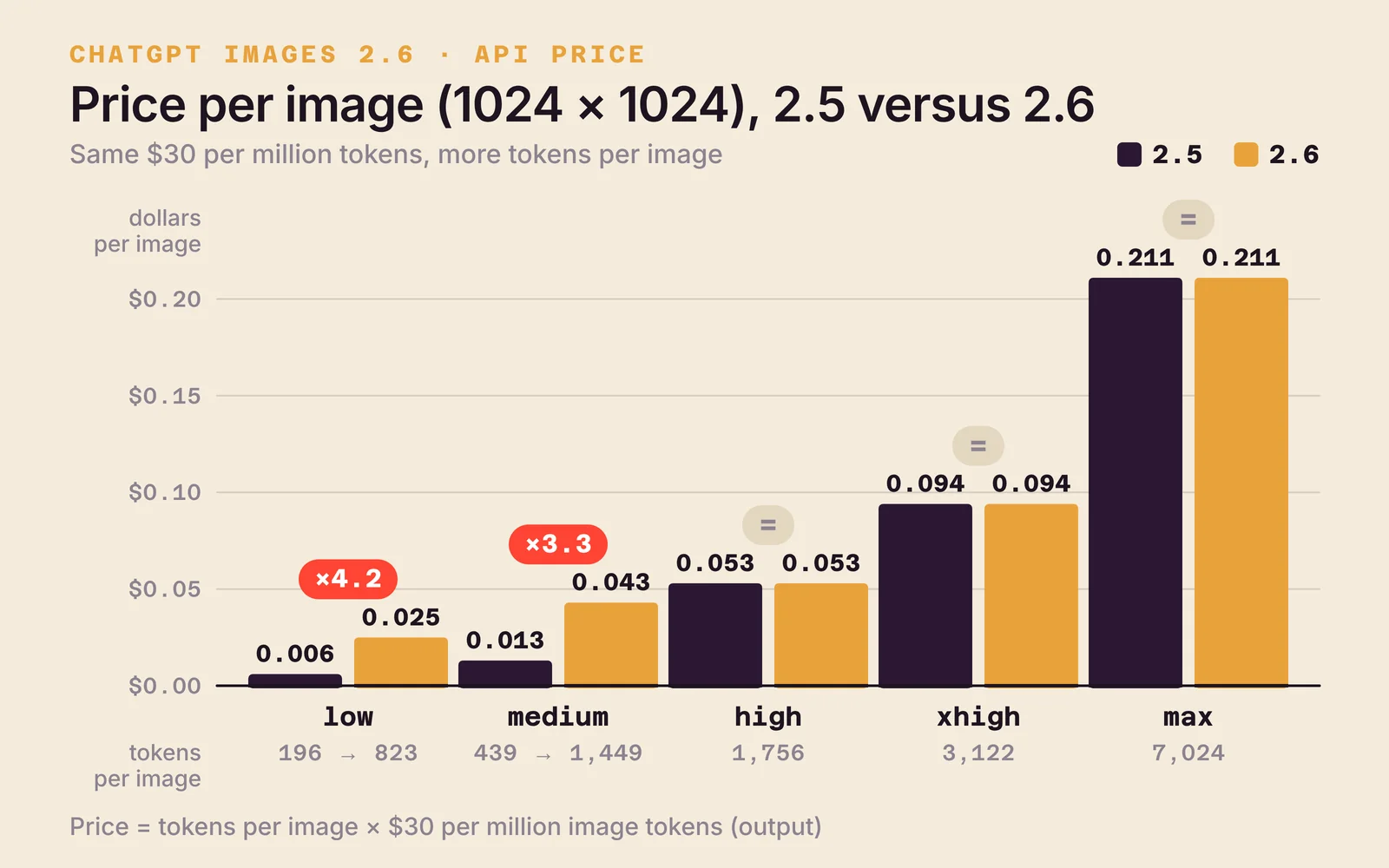
The per-token price is identical to 2.5. An image still costs more, and you only see it in OpenAI’s own token calculator. The calculator’s code applies a multiplier for gpt-image-2.6: ×4.2 at low, ×3.3 at medium, ×1 at high, xhigh and max. Developers on Hacker News checked it against real usage data and landed within one or two tokens of the same counts. For a 1024 by 1024 pixel image that gives the following.
| Quality | 2.5 (tokens, price) | 2.6 (tokens, price) | Change |
|---|---|---|---|
| low | 196 · $0.006 | 823 · $0.025 | ×4.2 |
| medium | 439 · $0.013 | 1,449 · $0.043 | ×3.3 |
| high | 1,756 · $0.053 | 1,756 · $0.053 | same |
| xhigh | 3,122 · $0.094 | 3,122 · $0.094 | same |
| max | 7,024 · $0.211 | 7,024 · $0.211 | same |
A cheap draft no longer costs half a cent but two and a half. A team generating a thousand low-quality images a day goes from $6 to $25. One developer who logged his timings showed where the gain sits: a medium image took 12 seconds on 2.5 and 8 seconds on 2.6, a low image 6.7 seconds. The “50 percent faster” holds in that measurement and 6.7 seconds comes close to the promised six, but you pay for the speed in tokens. From high upwards nothing changes.
How good is it, according to the first numbers and users
OpenAI published no benchmarks and no comparison with rivals at launch. Arena, which ranks image models through blind head-to-head votes, listed the new models on 4 November: Sunburst (medium) is second with 1,409 points and Flare (medium) fourth with 1,384, and Arena says both run almost twice as fast as 2.5. For context, in late October 2.5 Sunburst sat at 1,427 points on that same board, in first place. At medium quality the new models do not score above their predecessor; they are mainly faster. The Arena changelog also lists Google’s Nano Banana 2.1 (6 October) and Microsoft’s MAI-Image-2.7-Preview (27 October, on the editing leaderboard only), the two most recent rivals on the board.
Early users are more critical than the launch post. In the Hacker News thread with more than 180 comments, a developer of image tools calls the GIF frames “splotchy”, and another says a first-frame-last-frame video model still gives better results for professional work. The builder of a prompt-to-design site rolled back from 2.6 Flare to 2.5 Flare after an hour because the new version drew too simplistically. For SVG it turns out you must pass an extra language model (svg.model), which the documentation does not mention, and the results were “nothing spectacular”. Several people object to the visible watermark pattern of the GPT-Image-2 models, where Google’s SynthID is practically invisible. And sharing a GIF from a phone produces a link to chatgpt.com with a static image rather than the file. On OpenAI’s developer forum someone noted that the docs still call the models “2.5” in places and that the prompt_rewriter parameter is in the spec but returns an error.
Google got there a year earlier
GIFs are not a first. Google let Gemini make GIFs in October 2025 with Nano Banana, and Nano Banana 2.1 of 6 October 2026 added an avatar from a single photo that you can place in new scenes, which is what OpenAI now calls reference images. In the Gemini API documentation, however, GIF and SVG are not listed as output formats; there OpenAI is today the only one of the big players. On price they sit close together: a 1K image from Nano Banana 2.1 costs 3.4 cents, a medium 2.6 image 4.3 cents and a high one 5.3 cents. Open-weight alternatives such as Ideogram 4.0 can run on your own hardware, without the GIF or markup tooling.
What Images 2.6 does do first is put all the pieces on one workbench: references, markup, GIF, SVG and a planning dial. Whether that removes the “change one thing, change everything” frustration depends on your own test, not on the feature list.
What European teams settle first
Three points the announcement does not mention.
- Reference images are personal data. A saved reference of a colleague, a customer or a child is personal data under the GDPR; a mascot or a product is not. Decide who may store which references, get consent for faces, and remember that ChatGPT Business, Enterprise and Edu accounts and the API, not consumer plans, come with the data processing agreement your DPO will ask for. Where exactly the references are stored and whether they can be deleted in one go is not documented yet; ask before you roll it out.
- Article 50 of the AI Act applies since 2 August 2026. Anyone who publishes a deepfake of a real person must disclose it clearly, and providers must mark AI-generated images in a machine-readable way, the European Commission’s FAQ explains; providers whose systems were on the market before that date have until 2 December 2026 for the marking duty. A realistic GIF of your real CEO dancing falls under it, a GIF of Biscuit does not. OpenAI has embedded C2PA metadata in its images since 2024; we could not verify whether the GIF and SVG files carry it, so do not rely on the file to disclose for you.
- Where the images are processed. OpenAI offers EU data residency for the API and for Enterprise and Edu; the consumer app does not promise it. If your brand guidelines or your clients require in-region processing, that is a contract question, not a prompt setting. The same goes for the photo-as-data-asset issue we described for Meta’s Style Sketch: a library of saved faces is an asset your privacy policy has to name.
The test to run today
You do not need a benchmark to know whether 2.6 changes anything for you. Do this, in ChatGPT or through the API.
- Save one character as a reference: your mascot, your product or your dog.
- Ask for five scenes that really differ: in the office, in the rain, as a line drawing, on a poster with text, and as a three-second GIF.
- Between scenes, ask for two small edits, one with markup (“only the collar, make it red”) and one in plain text.
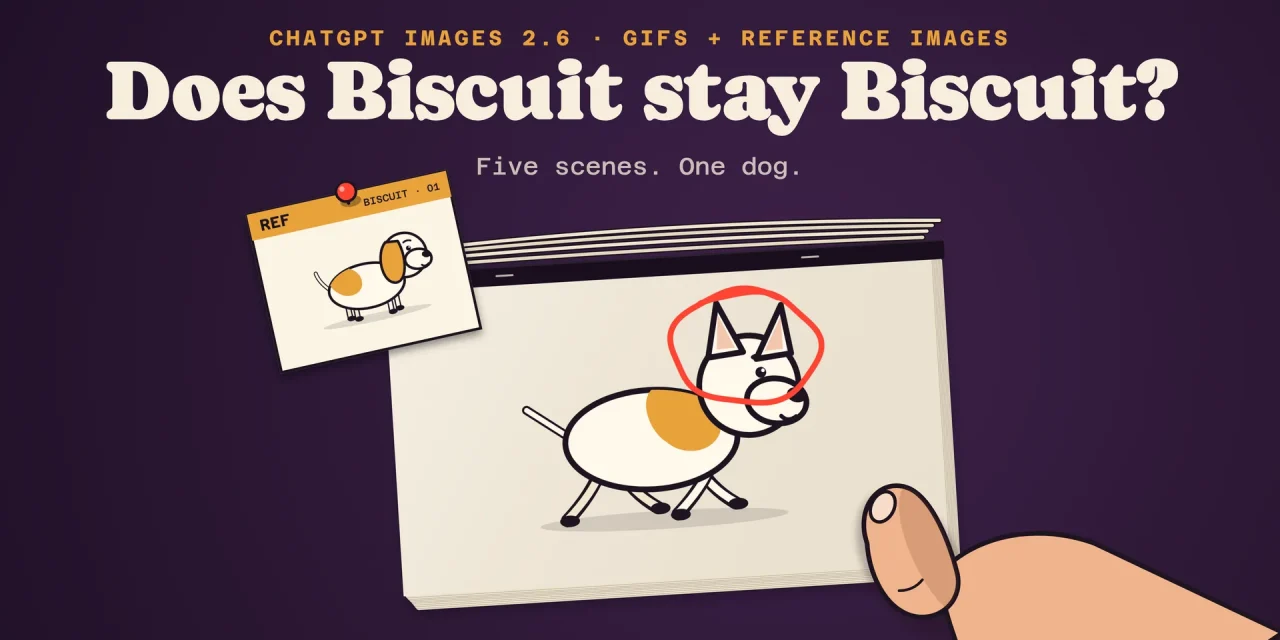
- Put scene five next to scene one. Same ears, same patch, same proportions?
- Repeat the poster with
complexity: lowandhighand see whether the text and the layout improve.
If scene five still looks like scene one, OpenAI’s pitch holds and the higher token cost pays for itself, because you stop regenerating. If it does not, 50 percent faster does not help much: you are paying four times more per image to regenerate the same picture three times. Teams on 2.5 that mostly use low or medium have no reason to switch yet; teams at high or above get the speed for free.
Frequently asked questions
Is Images 2.6 in the free ChatGPT plan?
Yes. OpenAI says it is rolling out globally across all subscription tiers. The rollout is gradual, so the GIF option may take a few days to appear, and daily image limits differ per plan.
How long can a GIF be?
In the API you choose 2 to 64 frames of 20 to 2,000 milliseconds each; the default is 9 frames of 200 milliseconds, 1.8 seconds. All frames together must fit the model’s pixel budget, so long GIFs come out small. OpenAI has not published limits for ChatGPT itself.
Did the API get more expensive?
Not per token, but per image at low (×4.2) and medium (×3.3). At high, xhigh and max an image costs exactly what it did on 2.5. The 2.5 models remain available for now.
What is the difference between quality and complexity?
quality sets how much detail the model renders (low to max) and therefore the token count. complexity sets how much the model plans beforehand (low, medium, high) and costs no extra tokens, only time.
Can I edit an SVG with markup?
No. SVG output works for generation only, not for edits, and an SVG cannot be used as input either. To change a vector logo, generate again or edit the file in Illustrator or Figma.
What to take from this release
Images 2.6 is less a new model than a new workbench: what Google and hobbyists already did with frames in a grid now sits as a button in ChatGPT and a parameter in the API. The real change for anyone paying is not in the announcement but in the calculator. Read that first, run the five-scene test, settle who may save whose face, and only then decide whether Biscuit moves house.