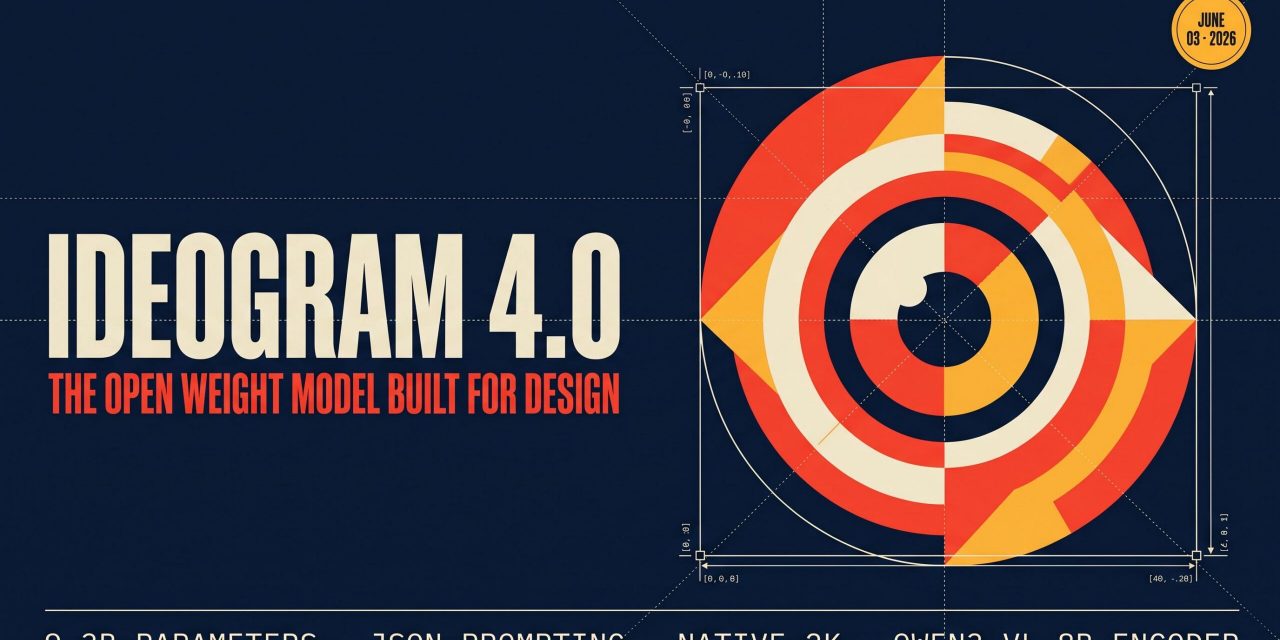
Ideogram 4.0 landed on 3 June 2026 as the first open weight release from Ideogram, and it arrives with a clear pitch. It is a 9.3B parameter foundation model trained from scratch, it ships with public weights, and it is built specifically for designers. Think posters with readable headlines, packaging mockups with the right colours, social media banners where the type sits exactly where you want it. The model accepts plain text, but it was trained on structured JSON captions, and that single decision shapes almost everything that makes Ideogram 4.0 interesting.
Below is a practical look at what the model is, how the JSON prompting interface works, how it benchmarks against closed source rivals like GPT Image 2 and Nano Banana 2, and what you need to run it locally.
What Ideogram 4.0 actually is
Ideogram 4.0 is a flow matching text to image model built on a fully single stream Diffusion Transformer. Text tokens and image latent tokens are concatenated into one sequence and pushed through the same 34 layer transformer. There is no separate text branch and image branch, which means every layer can mix the two modalities directly. Recent open weight releases from Tencent, Black Forest Labs and the Z Image team have converged on this same single stream pattern, so Ideogram 4.0 sits in good company architecturally.
Two choices set it apart from those peer releases.
First, the text encoder is Qwen3 VL 8B Instruct, a full vision language model rather than a text only encoder like CLIP or T5. The DiT pulls hidden states from 13 intermediate layers of the encoder and concatenates them along the feature dimension. The practical result is multi scale semantic features, from surface token information to deep compositional understanding, feeding the generator at once.
Second, the model was trained exclusively on structured JSON captions, and the reference inference pipeline parses every prompt as JSON before generation. That keeps training and inference in the same format, and it is why the JSON interface is more than a convenience layer.
JSON prompting and why it matters
Most image models treat the prompt as a sentence. Ideogram 4.0 treats it as a structured object with a style block, optional bounding boxes, a colour palette and typed text elements. Each training caption exhaustively described every element in the image, which means the model learned to render exactly what is named and to ignore very little.
The JSON surface gives you three things a plain prompt cannot.
- Colour palette conditioning. You can specify up to 16 hex colours per image, and up to 5 per element, to steer the dominant colour scheme directly rather than describing it with words like “warm” or “muted”.
- Bounding box layout. Any element can be placed using normalised coordinates in the range 0 to 1000, written as [y_min, x_min, y_max, x_max] with the origin at the top left. The model honours these boxes through its shared multimodal positional embeddings.
- Typed text elements. Each text element carries the literal string to render plus a separate visual description for its styling. This is the mechanism behind clean multi line, multi font in image text.
If you do not want to write JSON by hand, the inference pipeline ships with a magic prompt step. It uses an LLM to expand a casual sentence into a full structured caption before generation. By default it calls Ideogram’s hosted API, but the system prompt is open source so you can run the expansion through your own provider.
Typography, layout and colour the headline strengths
The benchmarks tell a consistent story. On Design Arena, a third party Elo leaderboard focused on design oriented generation, Ideogram 4.0 is the top ranked open weight model, behind only proprietary GPT and Gemini systems. Filtered to open weights only, it leads the next best model by a wide margin.
The typography numbers are more striking. ContraLabs ran a blind evaluation with ten professional designers from Contra’s top earning talent. Ideogram 4.0 was picked as the best of four models 47.9% of the time, well ahead of Gemini 3.1 Flash Image Preview, also known as Nano Banana 2, at 30.0%, FLUX.2 max at 15.5% and Grok Imagine 1.0 at 15.0%. When the same designers were asked whether they would use the output in real client work, Ideogram 4.0 scored 3.55 out of 5, almost a full point above Nano Banana 2 at 2.84.
On standard open source benchmarks the pattern continues. Ideogram 4.0 closes the gap to leading closed source models on prompt alignment with Prism, spatial reasoning with SpatialGenEval and text rendering with X Omni OCR. On layout control measured by 7Bench, it is significantly better than every closed source model tested. And at 9.3B parameters it produces the best text rendering of any open weight release benchmarked, ahead of much larger models like Qwen Image at 20B, FLUX.2 dev at 32B and the 80B HunyuanImage 3.0 mixture of experts.
Resolution, aspect ratios and sampler presets
A single set of weights covers any resolution from 256 to 2048 pixels in multiples of 16, with aspect ratios up to 6:1. The noise schedule auto adjusts per resolution, so the same checkpoint handles square thumbnails, phone wallpapers, social headers and ultrawide banners without a dedicated variant. For the highest quality output you set height and width to 2048 and use the V4_QUALITY_48 sampler preset, which runs 45 steps at guidance weight 7 followed by 3 polish steps at guidance weight 3 near the end of the trajectory. The polish tail tightens fine detail without over saturating the global composition.
Shorter presets exist for faster iteration. V4_DEFAULT_20 runs 20 steps with two polish steps, and V4_TURBO_12 runs 12 steps with a single polish step. Asymmetric classifier free guidance lets you tune the conditional and unconditional branches independently, which in practice means you can schedule prompt adherence and image quality separately across the sampling steps.
Running it locally
The weights are gated on Hugging Face under a non commercial licence. The repository ships two quantisations, fp8 and nf4, and the nf4 variant fits on a single 24 GB GPU. To get started you accept the licence gate on the model page, create an access token, authenticate with the CLI, then clone the GitHub repository and install the package.
Safety screening at inference is handled through Hive moderation. You create a text moderation key and a visual content moderation key, export them as environment variables, and every prompt and every output is screened before it returns. The repository also documents pre training filtering through NSFW classifiers and post training mitigations, and Ideogram requires equivalent or stronger filtering for any redistributed deployment.
The model is integrated with the diffusers library as well. The remote prompt upsampling path gives the best results, while a local upsampling path uses the same Qwen3 VL 8B model as the text encoder for fully offline workflows, at some quality cost.