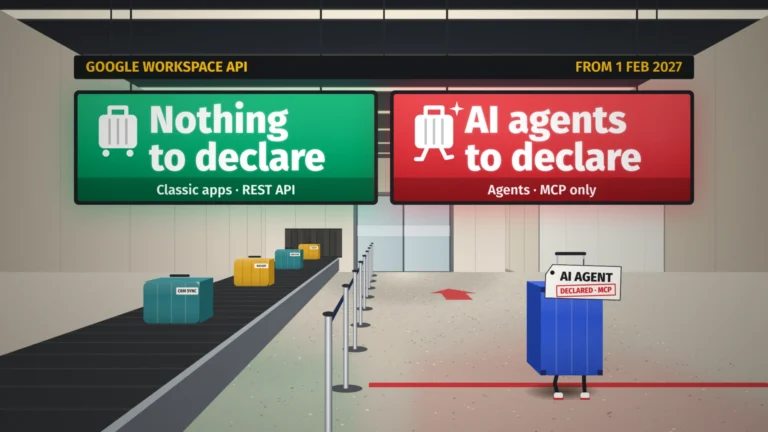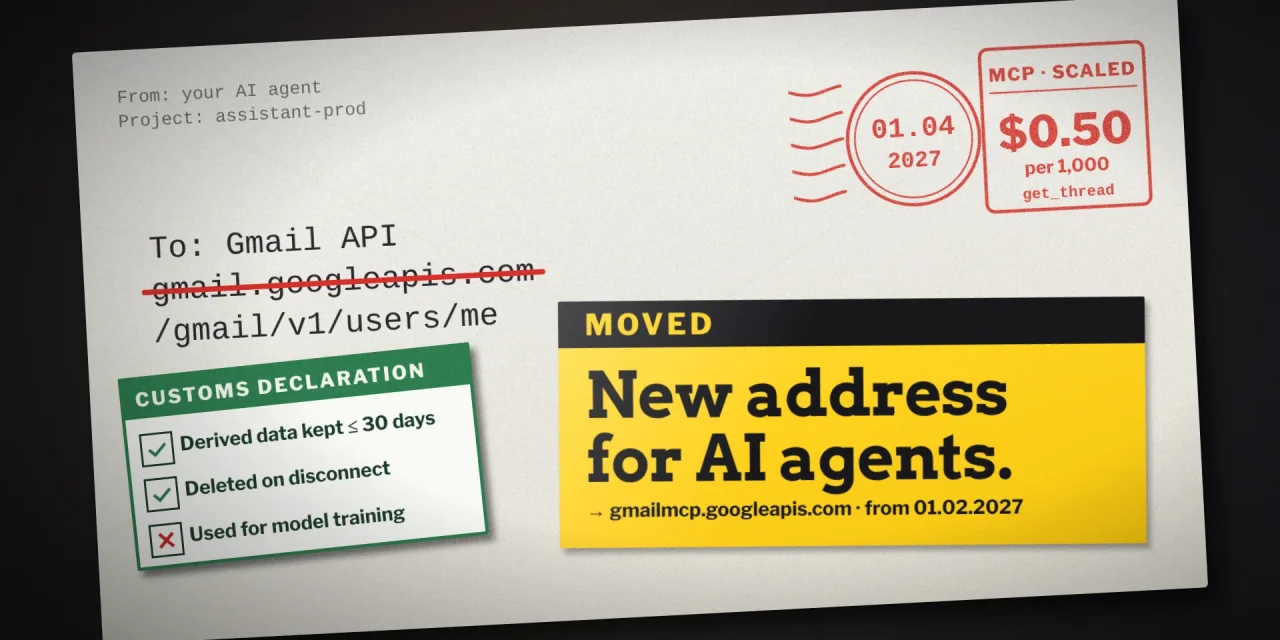
From 1 February 2027, any AI agent that reads or writes Gmail, Drive, Calendar or other Google Workspace data has to go through Google’s hosted MCP servers instead of calling the Workspace REST APIs directly. Agents that stay on REST are throttled to the free Standard quotas, whatever you pay for. For organisations that already integrate with the Workspace APIs, rewriting the integration is the easy part. The harder part sits in a new contract, the Workspace AI Tools Addendum. It caps how long you may keep embeddings and agent memory built from Workspace data at 30 days, bans training on that data, and leaves the risk of third-party agents with you. This article explains what changes, what it costs and what to settle before February and April.
What Google announced on 24 November
Google made its Workspace MCP servers and the Workspace CLI generally available on 24 November 2026. The MCP servers give cloud and web-based agents pre-built tools for Gmail, Drive, Docs, Sheets, Slides, Calendar, Chat and Tasks, with Keep announced as coming soon. Each product has its own endpoint, such as gmailmcp.googleapis.com, and the setup guide also lists servers for People, Classroom and a universal search across Gmail, Drive, Calendar and Chat. The CLI, gwscli, does the same for agents that work in a terminal, such as Claude Code, Codex and Antigravity.
Three other changes came with it. The Workspace APIs, MCP servers and CLI now share two usage tiers, Standard and Scaled, starting with Gmail, Drive and Calendar. A Workspace AI Tools Addendum adds terms for agents and other access tools. And admins get controls under Security > API Controls in the Admin console to manage external AI tools, set confirmation rules and read agent audit logs. The rollout to all Workspace domains takes about two weeks.
| Date | What happens |
|---|---|
| 24 November 2026 | MCP servers and CLI generally available, Standard and Scaled tiers live, usage dashboard available |
| 1 February 2027 | AI Tools Addendum takes effect, MCP requirement enforced, agents on REST limited to Standard quotas |
| 1 April 2027 | Scaled tier billing starts, projects with higher quotas that did nothing fall back to Standard limits |
| At least until December 2027 | Workspace APIs stay out of the variable fee of Google Cloud Support |
Does your integration count as an AI agent?
Only AI-driven access has to move. The addendum says a tool must use a Google MCP server where it “is or is driven by an AI Agent”, which includes an AI harness and any service that employs an AI model, and it forbids disguising a tool to avoid that classification. A nightly backup, a CRM that syncs mail, an archiving tool or a script that books meeting rooms can stay on REST. A pipeline that fetches mail through the Gmail API and hands it to a language model to sort or summarise is a service employing an AI model, so treat it as in scope even if nobody calls it an agent.
The technical marker is the OAuth client. Google wants agents to use a client with the option “Use this client for an AI-powered agent” switched on, and apps that mix human features with agent workflows must keep separate client IDs for each. For user-delegated access, the Workspace MCP endpoints only accept calls from such agentic clients. A request from an unflagged client comes back with a generic invalid token error.
One gap deserves attention in any inventory. Service accounts with domain-wide delegation reach the MCP servers without the agent flag, because access is governed by the admin’s delegation settings. They are also the accounts that can impersonate every user in the domain, so an agent built on one is easy to overlook and expensive to get wrong.
The addendum matters more than the protocol
The Workspace AI Tools Addendum supplements the Google APIs Terms of Service and wins where the two conflict. It applies to anyone who uses or authorises an access tool, so customers who connect a vendor’s agent are bound as well as the vendor. Five of its seven prohibitions change how agents on Workspace data can be designed.
- A 30-day limit on derived data. You may not store “Google Technical Information” for more than 30 days. The definition names vector embeddings, memory indexes, user profiles, organisational graphs and findings derived from access to Workspace. A retrieval index over Drive or a long-term agent memory built from Gmail therefore has to expire or be rebuilt within a month.
- Nothing stays after disconnection. User data and derived information may not be kept once the tool is disconnected or its access revoked.
- No training. Neither user data nor derived information may be used for model training, fine-tuning, building evaluation datasets or distillation.
- No scraping. Systematically probing the APIs, MCP servers or their outputs beyond what a user-authorised task needs is out, and so is using the data to build a product that competes with a Workspace service.
Enforcement is quick. If Google reasonably believes a tool breaks these rules, it may immediately restrict the tool or suspend the customer’s access. Google also states it bears no responsibility for the risks of third-party tools, naming training on user data, unauthorised access and compromised credentials. That liability has to land somewhere, and for most organisations that place is the contract with the agent vendor.
Two points need a lawyer rather than an engineer. The addendum defines an access tool broadly enough to cover ordinary software and applications, while the MCP requirement only targets AI-driven tools, so check whether the prohibitions also reach your non-agent integrations. And the 30-day ceiling is not the same as the GDPR’s storage limitation principle: the GDPR asks you to keep personal data no longer than its purpose requires, which can be shorter. Where a vendor’s agent processes employee or customer mail, the vendor is usually a processor under Article 28, and the data processing agreement is the place to write down the 30 days, the deletion on revocation and the training ban.
The limit also cuts across a strategy many organisations adopted this year, which is to own their context and rent the models. Context built from Workspace data is owned on a 30-day lease. Knowledge you want to keep belongs in your own documents and systems, with the agent index as a cache you can rebuild.
What MCP costs compared with REST
The Standard tier is free and needs no billing account. For the MCP servers it is capped at 5,000 requests per day, per project, per product, and that cap cannot be raised on Standard. The Scaled tier lifts the limits for a whole Cloud project, needs a linked billing account and starts charging on 1 April 2027. Google says over 99% of active developers are on Standard and will pay nothing extra.
The difference that matters for budgets sits in the pricing guide. On Scaled, REST traffic gets large daily allowances per billing account, such as 70 million light Gmail requests and 1 million premium ones, and you only pay above them. MCP traffic on Scaled has no allowance at all. Every successful request is billed from the first one, and moving a project to Scaled also removes the free 5,000 MCP requests a day.
| Bucket | Price per 1,000 requests | Typical MCP tools | Daily REST allowance on Scaled |
|---|---|---|---|
| Light | $0.10 | list_labels, get_file_metadata | Gmail 70 million, Drive 20 million |
| Medium | $0.20 | create_draft, label_message, create_file | Gmail 10 million, Drive 7 million |
| Plus | $0.25 | search_files, list_recent_files, all Calendar tools | Drive 4 million, Calendar 1 million |
| Premium | $0.50 | search_threads, get_thread, read_file_content | Gmail 1 million, Drive 1 million |
Take a vendor whose assistant serves 400 customer organisations from one project and makes 1.2 million Gmail MCP requests a day, half of them premium reads, 40% medium writes and 10% light lookups. That averages $0.34 per 1,000 requests, or $408 a day and about $12,240 per 30 days, below the $20,000 a month where volume discounts start. The same mix over REST would stay inside the daily allowances and cost nothing, but an agent is not allowed to use REST at that volume any more. An internal assistant making 9,000 requests a day costs about $92 per 30 days on the same assumptions. It still needs Scaled, because 9,000 is above the Standard cap. Some MCP tools count as several billing units because they make several underlying calls, so measure before you budget.
Two shortcuts are worth ruling out early. Spreading one workload over many projects to stack free MCP allowances runs into section 2(d) of the Google APIs Terms of Service, which forbids circumventing documented limits. And the internal-use exception, which lets a Workspace customer keep higher REST quotas for projects that only its own users touch, does not cover MCP quotas. Projects that already have higher limits keep them only by moving to Scaled or claiming that exception before 1 April. The others fall back to Standard limits.
What admins get in return
The trade Google offers is control in the request path. External agents must identify themselves through OAuth, which lets admins manage them like any other app under API Controls. Routine actions such as creating a draft run without friction, while admins can require a user confirmation for sensitive ones such as reading external files or sharing data. Existing user-level DLP rules apply to agent use, and audit logs record agent actions together with the confirmations users gave.
The confirmation model has limits. The CLI documentation warns that sending, external sharing, trashing and deleting ask for confirmation, but other write actions run without asking once the scopes are granted. The MCP setup guide warns about indirect prompt injection from untrusted content. Confirmation rules reduce the damage of a confused agent. They do not replace the containment questions we covered in our look at agent sandboxes.
A plan for the next ten weeks
- Inventory every route into Workspace. List Cloud projects, OAuth clients, service accounts with domain-wide delegation and every vendor tool that holds a Workspace token. API Controls in the Admin console shows the apps and the scopes they use.
- Classify each one. Is it, or is it driven by, an AI model? Write down the reasoning, because the addendum forbids avoiding the classification.
- Split and flag the OAuth clients. Agent workflows get a client with the AI-powered agent option, human-facing features keep their own.
- Move agents to MCP and test coverage. Check that the tools your agent needs exist, since the MCP servers expose a curated set of tools rather than every REST method, and Keep is still missing.
- Put a clock on derived data. Give embeddings, memory indexes and agent profiles a 30-day expiry, delete them on revocation and confirm nothing feeds a training or evaluation set.
- Model the bill before 1 April. Use the usage dashboard, estimate requests per tool and bucket, and decide per project between Standard, Scaled and the internal-use exception.
- Update contracts. Ask every agent vendor how it meets the MCP requirement, the 30-day limit and the training ban, and who pays if Google suspends access. Put the answers in the processing agreement.
- Configure the control plane. Set confirmation rules for sensitive actions, decide who reviews the agent audit logs and add Workspace agents to the agent policy you may already have for the web.
Frequently asked questions
Do all Workspace API integrations have to move to MCP?
No. The requirement covers tools that are, or are driven by, an AI agent, harness or model. Classic integrations without an AI model can keep using the REST APIs under the Standard or Scaled tier.
Will an agent that still uses REST stop working on 1 February 2027?
Google’s documentation says such agents are limited to Standard quotas, not blocked. They do breach the addendum, though, and Google may restrict or suspend access when it believes the rules are broken.
Are the Workspace MCP servers free?
On the Standard tier, yes, up to 5,000 requests per day per project and product. On the Scaled tier, Gmail, Drive and Calendar MCP requests are billed from the first one, at $0.10 to $0.50 per 1,000, from 1 April 2027.
Do embeddings of Drive files count as Google Technical Information?
Yes. The addendum names vector embeddings and memory indexes explicitly, and limits storing them to 30 days. They also have to go when the tool is disconnected.
Does the Workspace CLI count as an agent?
The documentation does not say. It does require an agentic OAuth client for user-delegated sign-in, and CLI requests count against the project’s usage tier and quotas.
The protocol is the easy part
Switching an agent from REST calls to MCP tools takes a sprint. The addendum changes more, because it moves rules that used to live in vendor assurances into Google’s own terms, with Google as the enforcer: a hard ceiling on derived data, deletion on revocation and no training. For European organisations that already work to the GDPR, much of that is familiar. What is new is the bill. Until now, an app and an agent paid nothing to read the same mailbox. From April, an agent that outgrows the free tier pays from its first request, while an app only pays above a generous daily allowance.