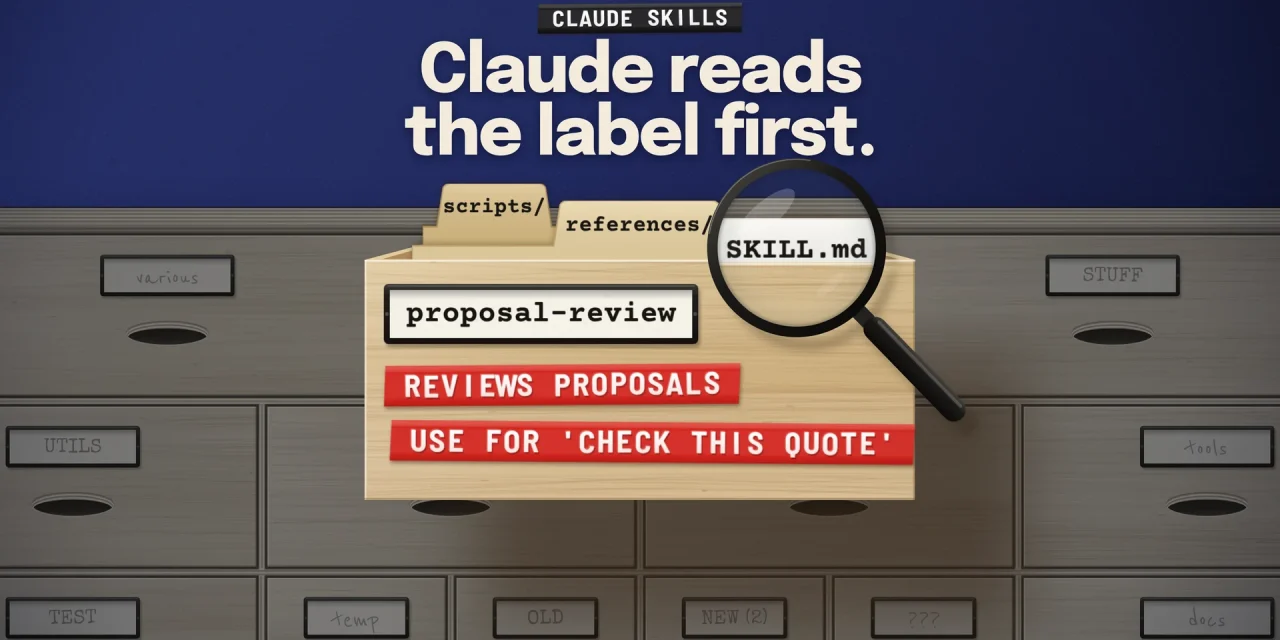
A Claude Skill is a folder with a file called SKILL.md: a name and a short description at the top, instructions underneath, and optional scripts and reference files alongside. Claude only sees the name and description of each skill until a request matches one of them. Then it reads the rest. So a skill that works starts with one sentence that says what it does and when to use it. A skill your organisation can rely on also needs tests, an owner and a clear rule for who may publish it.
Skills have grown up fast in 2026. They now run on every Claude plan, including Free, the Skills API left beta on 19 August 2026, Anthropic’s skill-creator can test and benchmark them, and since 2 October 2026 Enterprise organisations that never picked a setting review skills before they reach colleagues. This guide covers how to write a skill that triggers, how to test it, and how to govern a growing library of them.
What a Claude Skill is, and why it matters beyond developers
A skill is a way of working, written down once. Instead of explaining in every conversation how your team reviews a proposal, formats a board report or prepares a release, you put that method in a skill and Claude loads it when the task calls for it. Anthropic describes skills as folders of instructions and resources that Claude uses on demand, as opposed to a prompt that steers one task (Agent Skills overview).
A skill has a simple structure:
- SKILL.md (required): YAML frontmatter with at least
nameanddescription, followed by instructions in Markdown. - scripts/ (optional): code Claude runs, such as a validation or a conversion. Only the output enters the context.
- references/ (optional): material Claude reads only when a step asks for it.
- assets/ (optional): templates, logos, sample files.
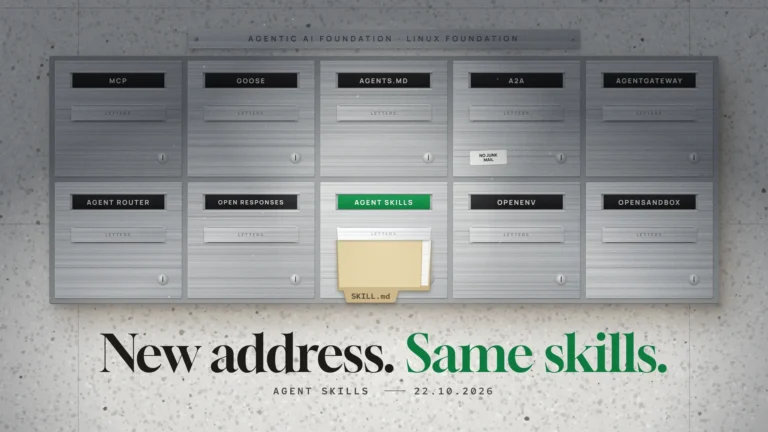
The format is an open standard, published by Anthropic in December 2025 at agentskills.io. OpenAI’s Codex and ChatGPT now read the same SKILL.md format from a .agents/skills folder (OpenAI documentation). That makes skills one of the most portable pieces of AI work an organisation can own, the same argument we made in models are rented, context is owned.
How Claude decides to use a skill
Skills load in three layers, a design Anthropic calls progressive disclosure. It explains almost every rule further down.
- Name and description are always in context, about 100 tokens per skill. Claude uses them to decide whether a skill fits.
- The body of SKILL.md is added once the skill is chosen. Anthropic aims for under 5,000 tokens.
- Scripts and reference files cost nothing until Claude opens or runs them.
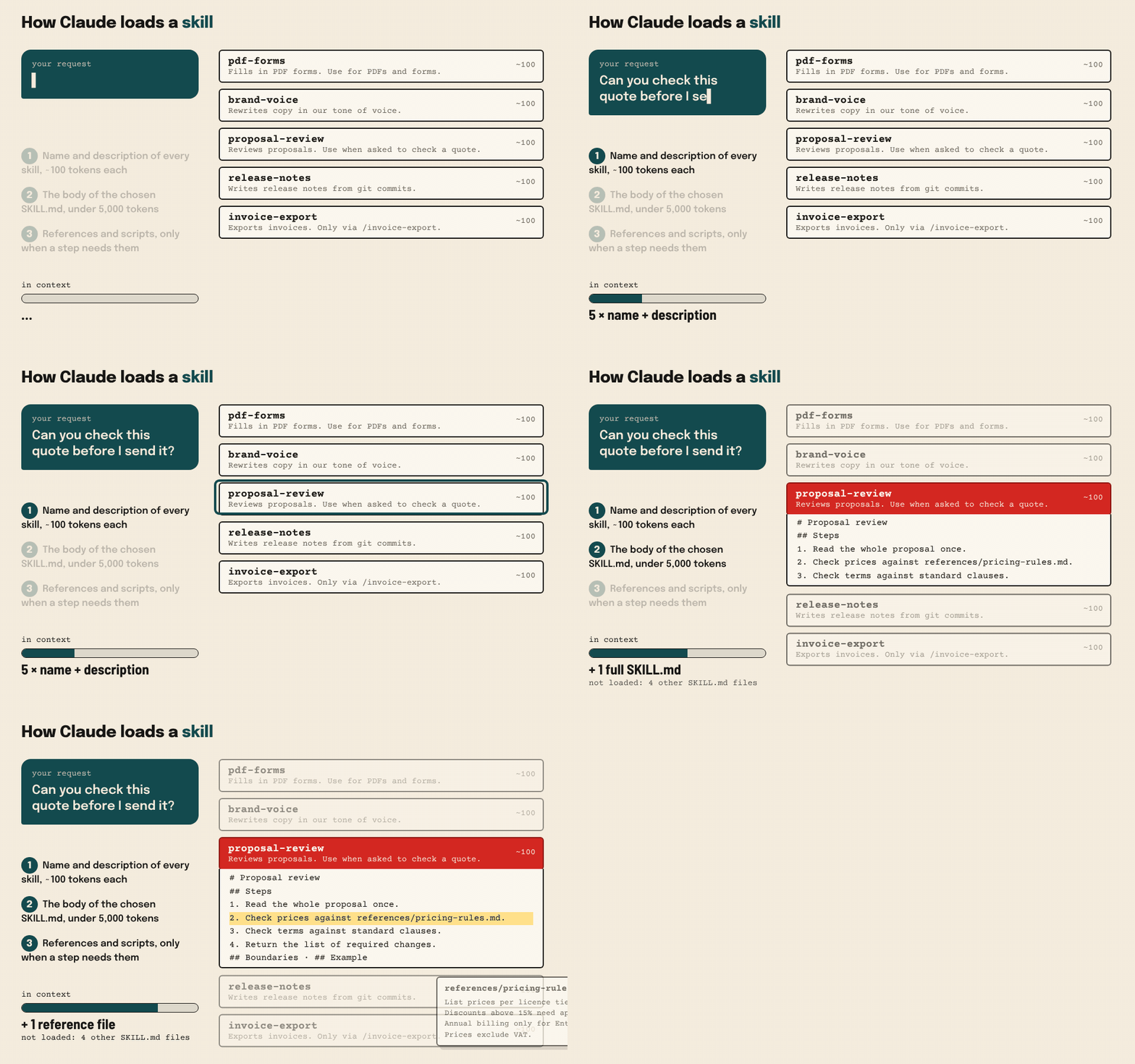
The consequence: an instruction that lives only in the body does nothing to get the skill chosen. “Use this skill when reviewing a proposal” belongs in the description, not at the bottom of SKILL.md.
Write the description as a trigger, not a summary
Most skills that fail, fail here. The description is the only thing Claude sees when it chooses between all your skills. Anthropic’s best practices say it must cover two things: what the skill does, and when Claude should use it.
- Write in the third person. The description is inserted into the system prompt. “Reviews client proposals” works, “I can help you with proposals” does not.
- Use the words people actually type. If colleagues say “check this quote” or “is this offer ready to send”, put those phrases in.
- Lead with the main use case. Claude Code truncates description plus
when_to_useat 1,536 characters in its skill list. The standard itself allows up to 1,024 characters. - Be specific. “Helps with documents” loses to every other skill. “Fills in PDF forms and merges PDFs. Use for PDFs, forms or document extraction” wins.
- Add an exclusion only when a test asks for it. Write “not for translations” only if the skill actually fires on translations.
Keep it short for another reason too. Claude Code reserves 1% of the context window for the list of all skills. With a large library, some descriptions are dropped, and with them the words Claude needed to match (Claude Code documentation). Names have hard rules: at most 64 characters, lowercase letters, numbers and hyphens only, and the words “claude” and “anthropic” are reserved.
A good SKILL.md, worked out
Here is a complete skill that checks client proposals. It is deliberately short: Claude already knows how to read a document, so the skill only says what Claude cannot know.
---
name: proposal-review
description: Reviews client proposals and quotes against our pricing rules, standard terms and brand guidelines, and returns a list of required changes. Use when asked to review, check or finalise a proposal, quote or offer before it is sent.
---

# Proposal review

## Steps
1. Read the whole proposal once without changing anything.
2. Check prices and discounts against references/pricing-rules.md.
3. Check terms against the standard clauses. Flag every deviation.
4. Return the list of required changes, most important first.

## Boundaries
- Never change a price yourself. Flag it.
- Discounts above 15% always need [APPROVAL].

## Example
Input: "Discount 20% on annual licence"
Output: "Discount exceeds 15% - needs approval from sales lead."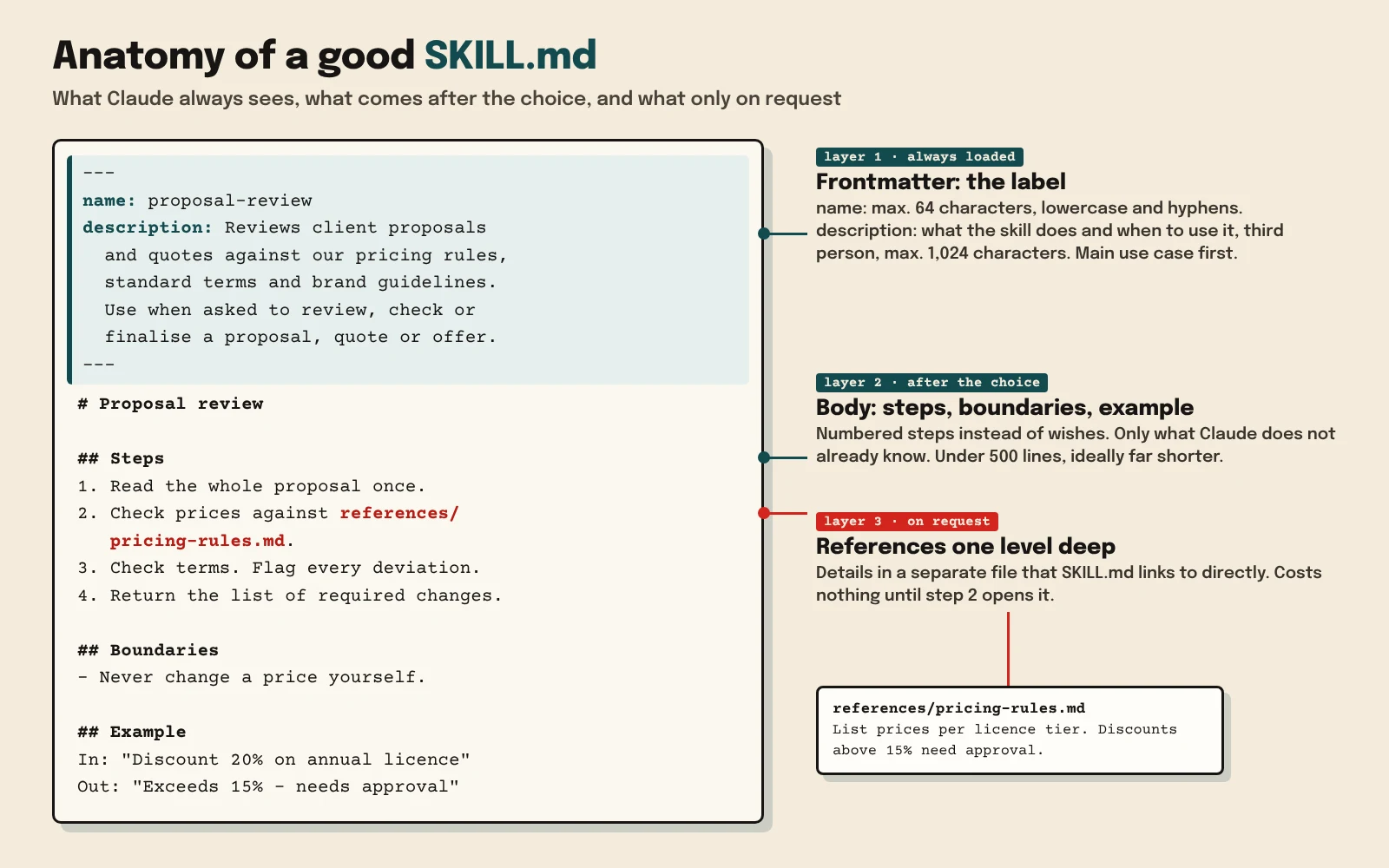
What this skill does well, and what to copy into your own:
- Steps instead of wishes. “Write good proposals” gives Claude nothing. A numbered method with a clear order does.
- The right amount of freedom. Anthropic contrasts a narrow bridge with an open field. A review can follow loose guidance. A financial export or a database migration needs a fixed script and the line “do not modify this command”.
- Examples over rules. One input and output pair shows the expected format better than three paragraphs of explanation.
- Under 500 lines. Anything longer goes into separate files that
SKILL.mdlinks to directly. Keep references one level deep: if file A points to B and B to C, Claude often reads C only partially. - Scripts for fragile work. A script is more reliable and cheaper than letting Claude write the same code each time. Say whether Claude should run it or read it, and explain every constant.
Decide who can start a skill
In Claude Code, extra frontmatter fields control how and when a skill runs. Other tools ignore them. The ones that matter most (full list):
| Field | What it does | Use it for |
|---|---|---|
disable-model-invocation: true |
Only a person can start the skill, with /name |
Anything with consequences: deploying, committing, sending mail |
user-invocable: false |
Only Claude uses it, it is hidden from the menu | Background knowledge such as codebase conventions |
allowed-tools |
Tools allowed without asking during that turn | A fixed set of commands |
context: fork |
Runs the skill in its own subagent | Heavy research that should not fill the main conversation |
hooks |
Registers hooks when the skill starts | Rules that must hold every time |
A skill is an instruction, not a guarantee. If a rule must always hold, put it in a hook. And after a long conversation is compacted, Claude Code keeps only the first 5,000 tokens of each skill used, so put what matters most at the top.
Test a skill before the organisation depends on it
Anthropic recommends writing evaluations before the skill itself:
- Let Claude do the task without a skill and note where it goes wrong.
- Write at least three test cases that hit exactly those failures.
- Measure the result without the skill, write the smallest skill that fixes it, and compare.
- Test with every model you use. Haiku may need more explanation, Opus less.
Since March 2026, the skill-creator does much of that work in the Claude app, in Cowork and as a Claude Code plugin. It writes test prompts, measures pass rate, time and tokens with and without the skill, has two versions judged blind against each other, and proposes a better description based on prompts that should and should not trigger the skill. Anthropic used it to improve triggering on five of its six public document skills.
Test triggering and execution separately. If the skill is not chosen, the description is the problem. If it is chosen but the output is weak, a new description will not help and the body needs work. Anthropic’s own data team shows what this discipline buys: with curated datasets, skills and evals, accuracy on analytics questions rose from 21% to 95%.
Governance: who gets to publish a skill
Once a few teams write skills, the question shifts from “does this skill work” to “who decides what everyone’s Claude follows”. Claude’s admin settings now give clear answers (Claude help center):
- Provisioning. On Team and Enterprise, owners can add a skill for the whole organisation. It is on by default for everyone, users can switch it off for themselves but not delete it, and it also loads in Claude Code for users signed in with their Claude account.
- Publishing by users. The “Publish to org” setting is Open, Requires review or Off. With review on, an owner approves every skill and every new version, and nobody can approve their own submission. Enterprise organisations that never chose a setting moved to Requires review on 2 October 2026.
- Groups. Enterprise can bundle skills in a plugin and assign it to one group only, so finance skills stay with finance.
- Scanning. Enterprise can scan skills and plugins. Malicious ones are blocked, risky ones carry a warning. Scanning only covers skills uploaded through the Claude app and Cowork, not the API, and it is not available with customer-managed keys, zero data retention or HIPAA configurations.
- Data retention. Agent Skills are not covered by zero data retention agreements. Skill definitions and execution data follow Anthropic’s standard retention, which matters for skills that touch personal data under the GDPR.
In practice that means treating a skill library like any other set of company procedures: a named owner per skill, a review step before publication, the evals stored next to the skill, and a scheduled check after each major model release.
Treat third-party skills as a software supply chain
A skill runs with the same rights as the agent that loads it. It can run scripts, read files and, in Claude Code, reach the internet. When Snyk scanned 3,984 skills from the ClawHub and skills.sh marketplaces in February 2026, 13.4% had at least one critical security issue and 76 were confirmed malicious, almost all of them using prompt injection (Snyk ToxicSkills). Anthropic’s own advice is to use only skills you wrote or that come from a source you trust, and to audit every file and every URL a skill fetches before installing it.
Where skills run
| Where | How you add a skill | Sharing |
|---|---|---|
| Claude app and Cowork | Customize > Skills: let Claude build one or upload a zip. All plans, including Free, with code execution on. | Team and Enterprise only: share with colleagues, publish to the organisation, or provision centrally |
| Claude Code | ~/.claude/skills/, .claude/skills/ in a project, or a plugin |
Git, a plugin marketplace or managed settings |
| Claude API | Upload through /v1/skills, load via the container parameter with the code execution tool. Generally available since 19 August 2026. |
Workspace-wide |
Skills do not sync between the apps and the API: upload them to each separately (release notes, help center).
Frequently asked questions
Are Claude Skills free?
Yes. Skills work on all plans, including Free, as long as code execution and file creation are switched on. Sharing skills and publishing them to an organisation requires Team or Enterprise.
What is the difference between a skill and a project or CLAUDE.md?
Project instructions and CLAUDE.md always load. A skill loads only when the task calls for it. Facts that always apply belong in CLAUDE.md or the project, a method for specific tasks in a skill.
Will my Claude Skill work in ChatGPT or Codex?
Largely. Name, description, instructions and bundled files follow the open standard and work in Codex and ChatGPT too. Fields only Claude Code knows, such as context: fork or allowed-tools, do not.
How many skills can we install?
There is no fixed maximum, but each skill costs about 100 tokens as soon as a conversation starts, and Claude Code drops descriptions when the list outgrows its budget. Retire skills nobody uses.
The best skill is one you dare to retire
Keep your test cases after the skill is finished, and rerun them with every new model. If results drop, you know before your colleagues do. If the new model passes the tests without the skill, the skill has done its job and can go. That keeps the library small, sharp and cheap, and it keeps the list Claude reads on every request limited to what still matters. For the wider picture of compact, high-signal context, see context engineering for Claude 5.