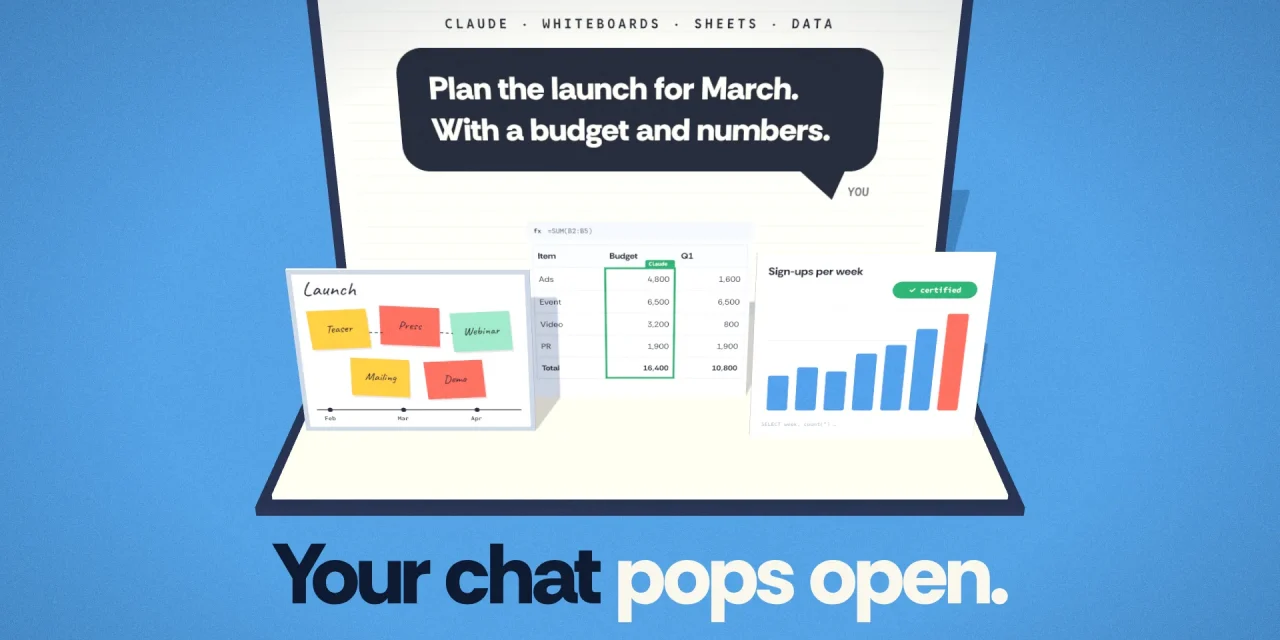
Ask Claude for a launch plan and you get a board with a timeline, owners and due dates. Ask for a hiring budget and you get a spreadsheet with tabs and formulas. Ask how revenue is trending and Claude builds a dashboard on your own warehouse. That is what Anthropic shipped on 10 November 2026 with Claude Whiteboards, Claude Sheets and Claude Data, included in every paid plan from Pro upwards. Sheets and Whiteboards are in beta. Data is the new name for Claude Dashboards and is now generally available. For European organisations the interesting part sits in the help pages: a new live sharing mode that changes whose access a shared dashboard runs on, data controls that do not yet cover the betas, and an Enterprise default that flips on 19 November.
What Anthropic launched
Three new artifact types that live in the Artifacts tab next to docs and decks. According to Anthropic’s announcement they work on the web, in the desktop app and on mobile.
- Claude Whiteboards is a shared board where a team and Claude work through ideas together. Beta.
- Claude Sheets is a spreadsheet Claude sets up and edits with you. Beta.
- Claude Data turns questions about company data into dashboards, scrolling data stories, short narrated videos and written analyses. It launched in October as Claude Dashboards and has now left beta.
Anthropic also added interactive connectors, which open apps such as Notion, Box, Atlassian and Adobe in full beside the conversation, and announced Claude Meetings, which joins video calls as a visible participant. TechCrunch reports Meetings as a Google Meet-only beta for Team and Enterprise. We could not find an Anthropic help page for it yet.
Investors read the launch as a move on Office. It coincided with the start of Anthropic’s IPO roadshow, and Microsoft’s shares fell more than 2% that day, Yahoo Finance reported. The documentation describes something more modest, and more useful to plan for.
Claude Whiteboards, for the thinking before the plan
A whiteboard is meant for the stage when nobody knows what the final version looks like yet. You type, sketch or dictate a brain dump, and Claude groups related ideas, orders the steps and links what depends on what. Dictation covers 25 languages, including Dutch, French, German, Italian, Spanish and Polish, says the Whiteboards help article.
You then steer with short requests: regroup by theme, turn the board into a timeline, ask what is missing between two steps, or drag a box around one area and ask about just that part. Colleagues edit live. In a retro, everyone adds notes, Claude clusters them and drafts action items per person. When the structure is settled, Claude turns the board into a doc or deck, or you send it to Lucid, Miro or Zoho Vani. File export is PNG only, and you cannot import an existing board from a file.
Two limits matter at launch. Claude works only from what is on the board and does not pull context from connected apps. And Whiteboards is not available to organisations with HIPAA-ready configurations.
Claude Sheets, a spreadsheet Claude builds and you review
One prompt gets you a campaign tracker or a forecast with tabs, cross-tab formulas, conditional formatting, drop-downs, checkboxes and charts. You can also import CSV, Excel or Google Sheets files. Each edit Claude makes is outlined in the grid, formulas stay visible, and version history lets you restore an earlier state. A hands-on test by vanja.io found that Claude’s writes are refused when someone else changed the sheet in the meantime, so cell references do not silently shift under a teammate.
The Sheets help article is candid about the gaps:
| Area | Claude Sheets in beta |
|---|---|
| Size | Up to 100,000 cells per sheet |
| Functions | 144 functions, bar, line and pie charts |
| Not yet available | Pivot tables, protected ranges, find and replace, multi-column sort, filter views, PDF export |
| Not supported | Macros, VBA, Power Query, DAX, print layout |
| Export | .xlsx and CSV |
| Mobile | Read-only |
| Live data | No live data from connected apps |
Anthropic’s own Nicholas Lin called Sheets “fairly basic”, according to 36Kr, and points to Claude for Excel or Claude for Google Workspace for serious modelling. Sheets is the light, shared sheet that grows out of a conversation, not a replacement for your finance team’s workbooks.
Claude Data, dashboards with visible SQL and certified metrics
The core is unchanged from October. You connect a warehouse such as Amazon Redshift, BigQuery, ClickHouse, Databricks or Snowflake, or an app already connected to Claude such as Salesforce, and ask in plain language. Claude writes a SQL query per chart and shows it, along with the last refresh time. What is new, per the Claude Data help article, is the range of outputs and two governance features in beta.
- Certified queries. Your data team approves the official query for a metric, in Claude or from existing definitions in dbt, Looker or Cube. Claude reuses them and charts built on them carry a badge. Editing a certified query removes the certification, and organisations can manage certified queries in a Git-backed plugin with pull request review.
- Live sharing. Viewers see results from the sharer’s connection, covered in the next section.
Dashboards now load faster thanks to caching, refresh cadences can be set per dashboard, and version history shows who changed what with a restore button.
Live sharing moves access from the viewer to the sharer
This is the change most coverage misses. Until now, a shared dashboard loaded its data with each viewer’s own connections, so a colleague saw only what they were entitled to see in the source system. With live sharing, people in your organisation see results from your connection. Anthropic’s help article is explicit: anyone you share with sees those results, even if they have no access to the source.
There are guardrails. Live sharing covers only the exact queries the dashboard needs, viewers cannot run other queries on your access, and the queries cannot change without an editor’s approval. That is the right model for a company-wide revenue page. It is the wrong one for salaries, customer records or anything where your data warehouse’s row-level security is doing real work. Under the GDPR, a dashboard that quietly widens access to personal data is a purpose and access-control question, not a convenience setting.
What European admins should settle before 19 November
On Team plans, Whiteboards, Sheets and Data are on by default, and so are certified queries and live sharing. On Enterprise, Whiteboards and Sheets are off until an owner enables them. Claude Data switches on by default for Enterprise on 19 November 2026, unless an owner has already saved a setting, while its two beta features stay off. All of it sits in Organization settings under Artifacts.
- Decide on Claude Data before the default flips, and use custom roles to limit it to groups that are ready.
- Treat live sharing as a policy, not a toggle. On Team, switch it off for teams with sensitive sources, or agree which dashboards may be shared on the creator’s access.
- Check the data controls. In beta, Sheets does not support HIPAA, customer-managed encryption keys or zero data retention, and Whiteboards is not covered by zero data retention either. If your contract relies on those, keep regulated data out for now.
- Ask where processing happens. The help pages for these features say nothing about EU data residency. If your DPA or sector rules require EU processing, get that answer from Anthropic in writing before rolling out.
- Review external sharing. People outside your organisation can join a board when invited by email, if the external invitation setting is on.
- Plan your exit. Sheets export to .xlsx and CSV, boards to PNG or other whiteboard tools. Knowing what you can take with you is the cheapest insurance against lock-in, a theme we covered in models are rented, context is owned.
Usage counts towards each plan’s limits, with no separate price. Pro costs $20 a month, or $17 a month billed annually, and a standard Team seat starts at $20.
Where it fits today
For teams that already plan in Claude and then retype everything into Miro, Excel and a slide deck, this removes real friction, because the board, the sheet and the dashboard grow out of the same conversation. For audited reporting, large models or anything with complex permissions, Excel, your BI stack and your existing controls stay in charge, with Claude Data as the fast first look. The Hacker News discussion landed in the same place: strong for prototypes and internal work, with open questions about lock-in and about visibility into what agents do with company data. As with SpaceXSI’s Data Bot, the review step is the real product. For the wider rollout picture, see our guides to Claude Cowork and to Claude Skills your organisation can rely on.
Frequently asked questions
How much does Claude Sheets cost?
Nothing extra. Sheets, Whiteboards and Data are part of every paid plan from Pro upwards and count towards your usage limits. They are not on the free plan.
Can Claude Sheets replace Excel?
No. There are no pivot tables, macros or Power Query, and a sheet holds at most 100,000 cells. You can export to .xlsx to continue in Excel.
Is Claude Data the same as Claude Dashboards?
Yes, renamed. Existing dashboards keep working. Data adds data stories, short videos, written analyses, certified queries and live sharing.
Does live sharing expose my data to people without access?
It can. Viewers see the results of the approved queries on your access, even without access to the source, but they cannot run other queries with it.
When does Claude Data turn on for Enterprise?
On 19 November 2026, unless an owner has already saved a setting in Organization settings under Artifacts.
The conversation becomes the workplace
Anthropic does not need Sheets to beat Excel. It needs work to start in the conversation and stay there until it truly needs a specialist tool. That makes the question of where company data and decisions live more important than which spreadsheet calculates best. Organisations that set rules for live sharing, certification and export now can let that shift happen on their terms, instead of untangling it a year from now.