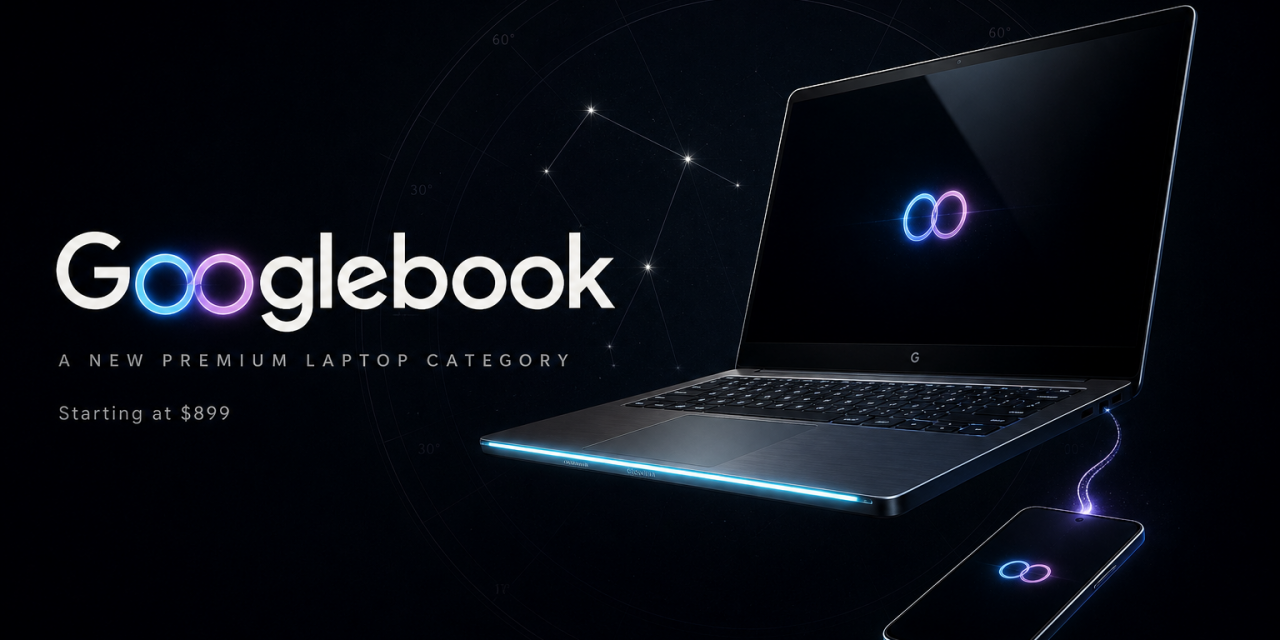
Google has officially lifted the curtain on Googlebook, a new category of premium laptops built around its Gemini assistant. Announced on September 21, 2026, the first devices come from Acer, ASUS, Dell, HP and Lenovo, with prices starting at $899. Pre-orders are open now through the Google Store, Best Buy and select retailers.
A prosumer evolution of the Chromebook
Googlebook picks up where sixteen years of Chromebooks left off. The machines run on the Android technology stack and combine the lessons of ChromeOS with native Android app support and a layer of artificial intelligence that touches nearly every part of the system. Google is careful to say that ChromeOS continues. Development goes on, current devices keep their promised support windows and many existing Chromebooks will be eligible to transition to the new experience. Googlebook OS itself receives regular feature drops and updates for up to 10 years, a commitment that matches the strongest support policies in the laptop market.
Five models, one premium template
Google is not building Googlebook itself. Instead it set a hardware baseline and partnered with five established laptop makers, each with a distinct take on the formula.
- Acer offers the only convertible in the lineup, shifting from laptop to tablet.
- ASUS is the travel companion at just 2.2 pounds.
- Dell balances height, weight and display size.
- HP leans into elegance and looks as refined closed as open.
- Lenovo plays the workhorse with a spacious 15 inch display.
Every model shares the same foundation. Chassis are made from aluminum, magnesium alloy and carbon fiber. Touchscreens reach up to 2.8K resolution and stay readable in direct sunlight. Keyboards are backlit and include a dedicated G key for instant search. Large glass trackpads deliver precise haptic feedback with full gesture support, and audio comes from as many as six speakers with Dolby Atmos, backed by studio quality microphones that filter background noise.
The playful touch is the Glowbar, a light strip that dances during boot, sweeps to show battery level and charging status, and opens to developers who want to build custom animations.
Under the hood, buyers choose between Intel Core Ultra Series 3 and Snapdragon X Elite processors at launch, with MediaTek also involved in the platform. Each chip pairs with a neural processing unit that pushes more than 45 trillion operations per second, enough to run demanding AI tasks locally without spinning up loud fans. Memory starts at 16GB across the board and reaches 32GB on higher configurations. Battery life is rated at up to 14 hours of video playback and 16 hours of web browsing. A Titan C security chip guards passwords and personal data, and you unlock the machine with your face or fingerprint.
Gemini moves into the cursor and the keyboard
Software is where Googlebook separates itself from every laptop that came before it. Gemini can be summoned with a dedicated key, by voice or through the most unusual new input method of the year.
Magic Pointer
Wiggle your cursor and Gemini appears, aware of the text, images and context on your screen. Highlight a marathon training plan on a web page and ask Gemini to map every run into Google Calendar. Hover over a suspicious email and ask it to verify whether the message is spam. Select a group of images and ask Gemini to visualize them together, with no downloading, uploading or prompt engineering. Google stresses that Magic Pointer only activates when summoned and stays off the rest of the time.
Rambler
Standard dictation transcribes everything, including stutters and filler words. Rambler takes a different approach. You talk freely, even switching languages halfway through a sentence, and the feature turns the stream of consciousness into structured text with clean headers, checklists and action items. A dedicated key sits next to Quick Insert, so capturing a thought takes one press.
Create My Widget and Antigravity
Describe a widget in plain language and Create My Widget builds it, whether you want live scores from your favorite team or a countdown to a family trip. Users who want to go further get Google Antigravity, the agentic development platform included with every device. It lets you describe an app and deploy it to your own machine, or in Google’s words, “speak your mind and get your app.” Developers also get a full Linux terminal with tools like Claude Code and Antigravity CLI for serious coding sessions.
The familiar Gemini features from Chrome and Android are present from day one, including Gemini Live conversations, task automations and proactive suggestions based on what is on your screen. Gemini Spark keeps working on complex requests even when the laptop is closed, and smart file search finds documents and photos by their actual content rather than cryptic filenames.
Your Android phone becomes part of the laptop
The second pillar of Googlebook is its bond with Android phones. Continue On lets an app travel from phone to laptop through the taskbar, so you can lock your phone, walk to your desk and find the app waiting where you left off. Files stored on your phone appear as if they were local in the Files app, searchable and openable without cables or transfers. Cast My Apps goes further and streams apps running on your phone into a desktop window, giving mobile software a proper home on the big screen.
Price, perks and availability
Googlebook starts at $899 and includes 12 months of Google AI Pro, which bundles 5TB of cloud storage with the Gemini Advanced toolset, plus three months of YouTube Premium, Adobe Photoshop and more. Google values the included extras at over $300. Devices hit shelves on October 4 in the United States and on October 5 in Canada, the United Kingdom, Ireland, France, Germany and Australia.
The questions Google has not answered yet
For all the launch day detail, several important questions remain open. Google describes the platform as built on the Android technology stack, yet stops short of calling it Android. It will determine whether manufacturers can reskin the interface the way they do on phones, and whether updates arrive uniformly or at the mercy of each partner. Support for everyday Linux applications and Windows software, both quiet strengths of ChromeOS in recent years, also remains unclear outside the developer terminal.
Early commentary has zeroed in on the aggressive placement of Gemini as well. An assistant that can read your entire screen on command raises legitimate privacy questions in business and education settings, the two segments where Chromebooks found their biggest success. The $899 starting price leaves the classroom market to cheaper Chromebooks for now. And because Gemini’s cloud features lean on a subscription, the included year of Google AI Pro raises the obvious question of what the experience looks like in month thirteen. Battery life is a final watch item. Android brings more background processes than the lean ChromeOS ever did, and Google will need to prove that its endurance ratings survive real use.
Where Googlebook goes from here
Googlebook is the most coherent laptop vision Google has shipped: credible hardware from five partners, genuine phone continuity and AI features that target specific annoyances rather than chasing novelty. The hardware alone would justify attention. The defining detail is strategic. Google has turned the laptop into the largest distribution surface Gemini has ever had, and the value of the machine and the assistant are now inseparable. If Magic Pointer and Rambler save you real time every week, Googlebook earns its price. If they fade into gimmicks after the first month, what remains is a well built laptop whose intelligence starts costing extra in year two.