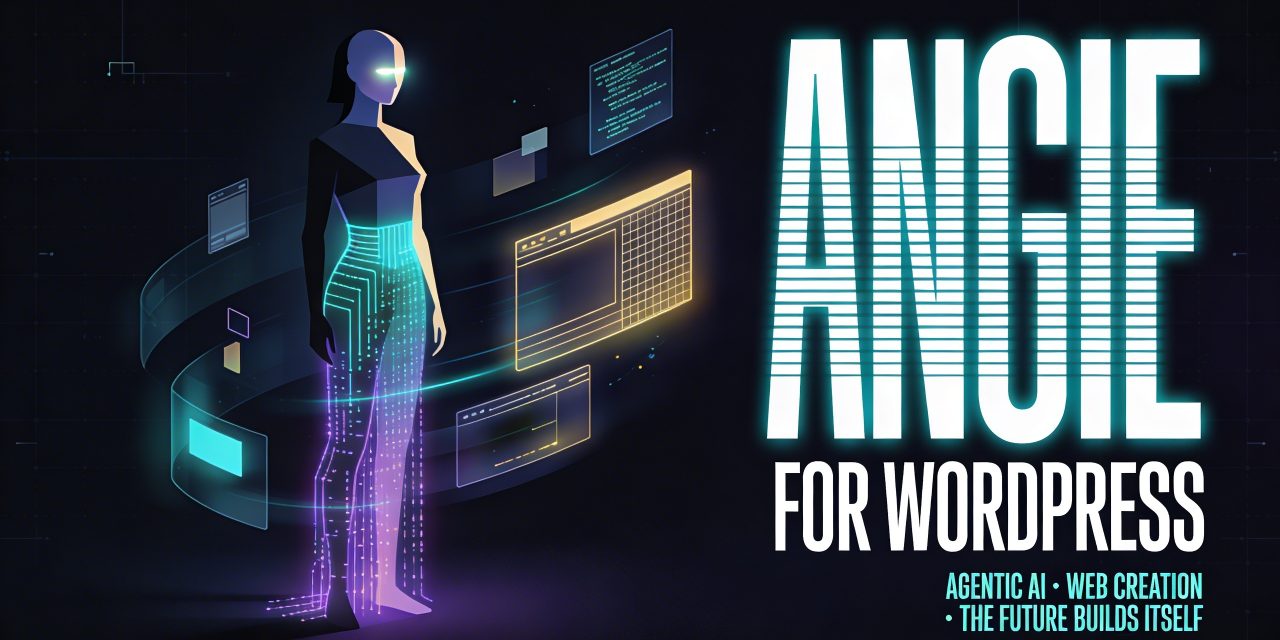
WordPress powers a huge share of the web. Angie for WordPress is designed to work inside WordPress.
Elementor positions Angie as agentic AI for WordPress. It’s an AI system that can understand context, interact with tools, and help carry out meaningful tasks. For web creators, agencies, and WordPress professionals, that could reshape how custom functionality gets built and how repetitive site work gets handled.
What Angie is
There is no shortage of AI tools that can write text, generate snippets, or explain code. The problem is that most of them operate without real awareness of the site they are supposed to support. They generate in isolation. Then the human still needs to adapt, test, troubleshoot, and integrate the result.
Angie takes a different route. It is built specifically for WordPress and is closely integrated with Elementor, while also aiming to work across the broader WordPress environment. According to Elementor’s positioning, Angie understands site context such as themes, plugins, content structure, and editor settings. The ambition is to make it behave more like an AI powered WordPress specialist that can build and manage functionality where it will actually be used.
This is especially important because the hardest part of WordPress is often not building common features. Plugins already cover many standard needs. The real friction begins when a website needs something specific. At that point, users usually choose between compromise and custom development.
Angie is clearly designed to narrow that gap.
From AI assistant to agentic AI for WordPress
The phrase agentic AI for WordPress reflects that agentic systems are expected to understand goals, use available tools, perform actions, and iterate toward a result.
In the WordPress world, that model makes a lot of sense. Website building is full of practical tasks that benefit from contextual action:
- creating custom components
- editing site structures
- adding backend functionality
- managing content and settings
- working with plugin data
- testing before deployment
Angie is being introduced as an AI layer that can support this kind of work. The first major part of that vision is Angie Code, which focuses on generating production ready code based on plain language prompts, screenshots, or URLs.
That input flexibility is notable. It means users do not always need to describe everything in technical language. They can explain what they want, upload a visual reference, or point to an existing page for inspiration. For non developers, that lowers the barrier. For professionals, it can speed up prototyping and reduce repetitive implementation work.
What Angie Code can build
Based on the current documentation and plugin information, the main use cases include the following.
Custom Elementor widgets
One of the clearest use cases is generating custom widgets for Elementor. That can include building entirely new widgets or extending existing ones with extra controls and behavior. This matters because many professional sites need components that standard widget packs do not provide.
Think about pricing elements with unique logic, testimonial sliders with unusual layouts, branded callout sections, or interactive comparison blocks. These are the kinds of items that often sit just beyond the limits of available plugins.
WordPress admin and backend customizations
Angie can also generate backend functionality such as dashboard widgets, user role customizations, hooks, filters, settings interfaces, and custom post related logic. For agencies and advanced site owners, this is where AI could become genuinely productive. Backend refinements are valuable, but they are often too small to justify a full development cycle and too technical for non coders to build alone.
Interactive front end snippets
Another area is front end enhancement through CSS, JavaScript, and PHP. This includes visual interactions such as hover effects, animations, custom cursors, scroll triggered behavior, and richer user interface details. These touches are often what make a site feel custom rather than based on a free template used by millions.
Visual apps and functional tools
Angie is also described as capable of creating front end applications such as calculators, quizzesand other interactive tools. That is especially relevant for publishers, lead generation sites, educational platforms, and niche service websites where engagement often comes from useful mini applications rather than static pages.
Custom post types and fields
Structured content remains one of the strongest aspects of WordPress. If Angie can help define custom post types and fields conversationally, it can simplify a task that normally requires a mix of planning, plugin configuration, and custom code. For content heavy sites, this could make architecture decisions easier to execute.
Complete landing pages
There is also support for generating full pages for Elementor and Gutenberg. That moves Angie beyond component creation into page assembly, where layout, copy, and styling can be produced together and then refined.
Context awareness
The strongest claim around Angie is not that it can generate code. Many AI tools already do that. The stronger claim is that it can generate code with awareness of the environment where it will run.
That means the output is supposed to align with the site’s existing setup, including visual styles, plugin structure, and WordPress architecture. If this works reliably, it addresses one of the biggest frustrations in AI assisted development. Generic tools often produce code that looks plausible but requires substantial revision before it fits the target system.
Safe experimentation through test mode
Production sites cannot afford broken functionality, conflicting scripts, or insecure modifications. Elementor addresses this with a test mode or sandbox style environment where generated artifacts can be previewed and refined before going live.
The beta status still matters, though. The plugin documentation explicitly notes that some capabilities are evolving and that users should back up their sites before use. So while the concept is strong, the maturity level should be evaluated realistically.
How Angie fits into the Elementor ecosystem
Elementor already has a large installed base, a visual editing environment, and a user community accustomed to no code and low code workflows.
Within that setting, Angie becomes a natural extension of visual building.
This conversational plus visual workflow is important because it avoids a false choice between AI and human editing. Angie does not replace manual control. It appears to be designed to accelerate the first draft and the technical scaffolding while leaving room for fine tuning inside familiar tools.
Integrations
Elementor also references support or ambition around tools such as WooCommerce, Gutenberg, ACF, LearnDash, WS Form, GiveWP, and The Events Calendar. If those integrations deepen over time, Angie could become relevant not only for designers but also for online stores, course platforms, event publishers, and membership sites.
Who Angie is really for
Despite the no code framing, Angie is not only for beginners. In fact, it may be most useful for the middle and upper end of the WordPress market.
- Freelancers can use it to speed up custom implementations without relying on generic plugins for everything.
- Agencies can use it to prototype, standardize repeatable components, and potentially build internal asset libraries over time.
- Site owners with clear ideas but limited development skills can get closer to custom outcomes.
- Developers may treat it as a productivity layer for scaffolding, iteration, and plugin connected workflows rather than as a replacement.
The coming cloud library feature fits this professional use case particularly well. Reusable AI generated assets across projects could become a real efficiency gain for teams that build similar patterns repeatedly.
What to watch
There is a lot to like in the concept, but a realistic reading also requires some caution.
It is still in beta
Beta products can be useful, but they are still evolving. Stability, consistency, and edge case handling matter a lot when code is being generated and deployed in live web environments.
Context awareness must prove itself in practice
The core promise of Angie is contextual understanding. That is exactly the feature that will determine whether it becomes indispensable or merely interesting. It needs to handle plugin conflicts, coding standards, and site specific complexity reliably.
AI generated code always needs review
Even with sandboxing, AI generated functionality should not be treated as automatically correct. Security, performance, accessibility, and maintainability still need human oversight.
The Elementor connection is both a strength and a boundary
For Elementor users, deep integration is a clear advantage. For those outside that ecosystem, the value proposition will depend on how broadly and deeply Angie supports pure WordPress workflows over time.