Why Google AI Studio matters right now
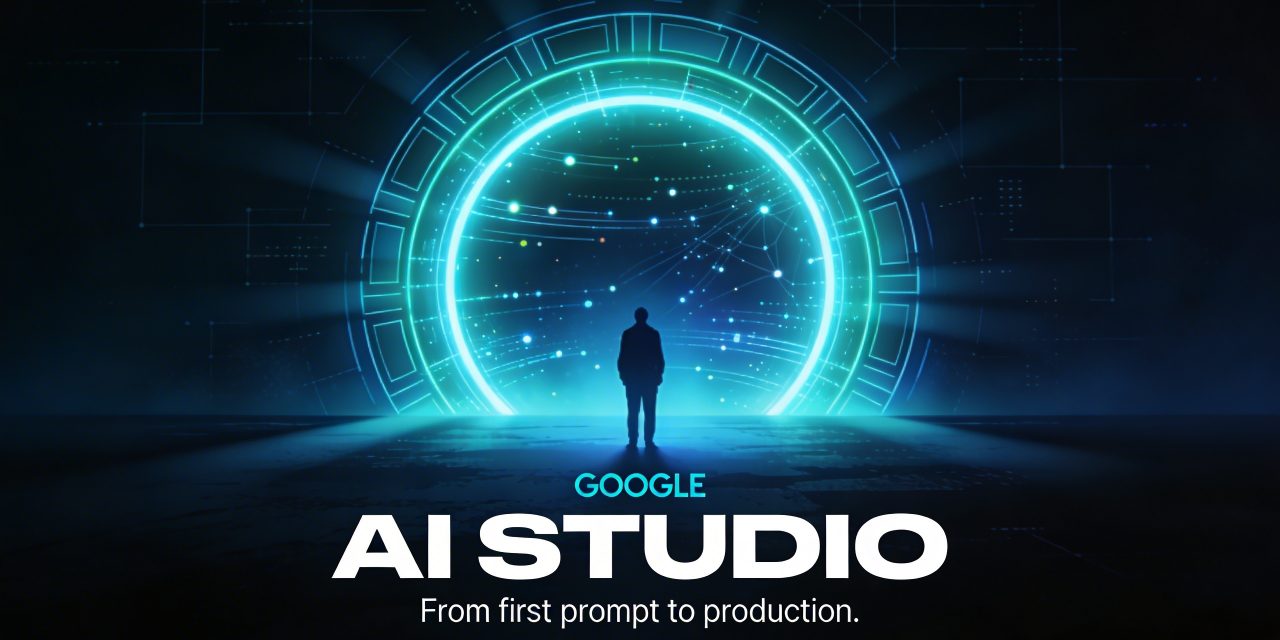
Google AI Studio has evolved from a simple experimentation environment into a serious launchpad for building AI powered applications. For developers, product teams, startups, and technical creators, the appeal is obvious. You can move from an idea in plain language to a working prototype quickly, test Gemini powered features, control usage, and increasingly build full stack experiences without stitching together a dozen separate tools.
That shift is important. In the past, AI prototyping often lived in one interface while deployment, backend logic, authentication, and observability lived somewhere else. Google AI Studio is clearly moving toward a more integrated workflow. It now supports a broader build experience with coding assistance, Firebase backed app features, spending controls for Gemini API usage, and a cleaner path toward larger scale deployment when teams outgrow the studio phase.
For a domain focused on artificial intelligence, this makes Google AI Studio more than another product update. It is a useful case study in how AI development is changing. The tooling is becoming more conversational, more visual, and more production aware.
What Google AI Studio is designed to do
At its core, Google AI Studio is a development environment centered on Gemini models and prompt based application building. It gives developers a fast way to test prompts, experiment with model behavior, connect API usage to projects, and build early stage AI applications with less setup friction.
That sounds straightforward, but the platform is starting to cover several layers of the AI app lifecycle at once:
- Prompt and model experimentation for Gemini powered features
- App prototyping using natural language instructions
- Full stack app generation with coding agent support
- Backend integration through Firebase services
- Usage and billing visibility for Gemini API projects
- A migration path to Vertex AI when requirements become more enterprise focused
That combination makes Google AI Studio especially attractive for teams that want to go from concept to proof of value quickly without losing sight of real world constraints like login, data storage, cost ceilings, or scaling paths.
The rise of vibe coding in Google AI Studio
One of the most notable updates is the new full stack vibe coding experience. The phrase may sound playful, but the underlying idea is serious. Instead of manually wiring up every piece of a web application from scratch, developers can describe what they want in natural language and let the coding agent generate and refine the structure.
This experience is now powered by Google Antigravity, a coding agent designed to turn prompts into increasingly production ready applications. The promise is not just generating a rough interface. The tool is built to understand project structure, maintain context across edits, and make multi step changes more effectively than simpler prompt to code systems.
That matters because many AI coding tools are decent at one off snippets but weaker at maintaining coherence across a real app. Google AI Studio is moving toward something more practical. You ask for a feature, the agent reasons about dependencies, identifies where storage or authentication is needed, and helps assemble a more complete solution.
What the vibe coding workflow now adds
- Real time multiplayer support for collaborative apps and games
- Automatic database and authentication setup through Firebase integration after approval
- Support for modern web tooling including external libraries for animation and UI components
- Secrets management for API credentials used by third party services
- Session continuity so projects persist across devices and browser sessions
- Framework support for React, Angular, and Next.js
In practical terms, this means Google AI Studio is trying to remove the invisible work that usually slows down prototyping. A product concept that once needed separate frontend, backend, auth, and deployment decisions can now begin as a guided build conversation.
From prototype to real app
The strongest part of the new direction is that Google AI Studio is no longer only about demos. It is increasingly aimed at applications that need to behave like real software.
Consider the kinds of examples the platform now supports. Real time multiplayer games. Shared collaborative spaces with synchronized interactions. Utility apps that connect to live services such as maps. Recipe organizers that mix structured data with Gemini generated content. These are not just toy prompt outputs. They combine user state, external services, real time logic, and ongoing iteration.
The built in Firebase integration is a key piece of this transition. When the coding agent detects that an app needs persistent data or login, it can provision Cloud Firestore for storage and Firebase Authentication for secure sign in. That makes it easier to build applications with user accounts and persistent state, which is one of the first barriers between an impressive prototype and a usable product.
Another practical feature is the new Secrets Manager in settings, where API credentials can be stored more safely. This matters for apps that rely on services such as mapping, payments, or external data. Secure handling of credentials is not glamorous, but it is essential if a prototype is ever going to mature into something dependable.
Why cost control is one of the most important updates
Excitement around AI tooling often focuses on what can be built. In reality, one of the biggest concerns for developers and teams is what it will cost once usage begins to scale. This is where Google AI Studio has become more operationally useful.
The addition of Project Spend Caps gives teams a way to set monthly spending limits for Gemini API usage on a per project basis. That is a practical safeguard, especially in environments where multiple experiments are running at once. Instead of relying purely on manual monitoring, teams can create project level boundaries that remain active until changed.
There is a small delay before spend cap enforcement fully kicks in, so it is not an absolute guarantee against overrun in every scenario. Still, it is an important control mechanism, and it shows that Google AI Studio is being shaped for real development workflows rather than pure experimentation.
Billing and usage visibility are also getting better
Google has also expanded observability inside AI Studio with more transparent usage tiers and dashboards that help teams understand how close they are to limits. These include visibility into:
- Requests per minute
- Tokens per minute
- Requests per day
- Daily cost breakdowns by project and model
- Usage and error metrics for broader performance tracking
This is a meaningful improvement because cost problems in AI systems rarely come from one dramatic mistake. More often, they come from incremental growth, hidden token use, or unexpectedly successful features. Better observability helps prevent AI apps from becoming financially unpredictable.
Usage tiers and scaling with less friction
Another notable update is the redesign of usage tiers. Rather than forcing developers through a slower and less transparent progression model, Google AI Studio is making upgrades more automatic as usage and payment history mature.
The benefit is simple. Teams that are building something that works do not want scaling blocked by vague thresholds or slow manual intervention. Automatic tier upgrades, lower spend qualifications for higher access, and clearer rate limit visibility reduce that friction.
There is also a billing account tier cap that applies across the broader billing account, independent from the custom spend caps set on individual projects. This creates a two layer model for control. One layer protects a project. The other helps govern account level growth.
For startups and internal innovation teams, that dual structure is useful. It supports experimentation without letting a single successful or misconfigured workflow dominate overall spending.
Where Google AI Studio fits compared with Vertex AI
Google AI Studio is becoming more capable, but it is still not the final destination for every AI application. As projects mature, teams may need stronger governance, compliance features, enterprise support, regional control, or full machine learning operations tooling. That is where Vertex AI becomes the more appropriate platform.
The distinction is important.
Google AI Studio is excellent for fast development, Gemini API experimentation, prompt iteration, and increasingly robust app prototyping. It keeps setup light and shortens the path from idea to working software.
Vertex AI is better suited to enterprise grade deployment and lifecycle management. It adds deeper MLOps functionality, stronger security and IAM based authentication, logging and monitoring integrations, governance support, regional deployment choices, and compliance readiness for regulated environments.
When a move to Vertex AI makes sense
- Your AI app needs enterprise support or SLA backed reliability
- You require compliance aligned controls or stricter governance
- You need broader model management and monitoring tools
- Your deployment architecture depends on Google Cloud services at scale
- You want IAM based authentication and more advanced infrastructure control
In other words, Google AI Studio is ideal for the acceleration phase. Vertex AI is the platform for teams that now need discipline, scale, and operational depth.
Migration is part of the product story
One sign of maturity is that Google is not pretending AI Studio should do everything forever. Documentation now clearly supports migration from Google AI Studio to Vertex AI. Prompt data can be exported and brought into Vertex AI Studio, while training data can be uploaded into Cloud Storage for tuning and deployment workflows on the cloud platform side.
There are caveats. Supported regions can differ. Models created in AI Studio may need retraining in Vertex AI. API keys that are no longer necessary should be removed as part of security hygiene. But the broader message is clear. Google wants AI Studio to be an entry point, not a dead end.
That is a healthy strategy. Developer tools become far more useful when the migration path is visible from day one. Teams can begin with speed and later graduate to control without rebuilding everything from scratch.
Who should use Google AI Studio
Google AI Studio now sits in a compelling middle ground. It is approachable enough for solo developers and fast moving product teams, yet increasingly capable for serious prototypes that need state, authentication, and external integrations.
It is particularly well suited to:
- Developers testing Gemini powered features before larger rollout
- Startups that need to validate AI app concepts quickly
- Innovation teams building internal tools or proofs of concept
- Technical creators exploring conversational software development
- Teams bridging prototype and production without immediate enterprise overhead
It is less ideal as a final destination for heavily regulated, mission critical, or deeply governed environments. In those cases, Vertex AI is the stronger long term fit.
The bigger trend behind Google AI Studio
The most interesting thing about Google AI Studio is not any single feature. It is what the platform represents. AI development tools are converging. Prompting, coding, backend setup, spend governance, and deployment planning are no longer isolated disciplines handled in separate silos. They are being brought into one continuous workflow.
That does not mean software engineering becomes trivial. It does mean the first 70 percent of building an AI app can happen much faster, with fewer handoffs and less setup friction. The remaining 30 percent still matters enormously. Security, data architecture, observability, governance, and performance remain critical. But now teams can reach those questions with a working system already in hand.
That is why Google AI Studio deserves attention. It is not just a prompt playground anymore. It is becoming a serious layer in the modern AI application stack.
What to watch next
If the current direction continues, the most important future developments will likely revolve around deeper integrations, smoother deployment paths, and better orchestration between AI Studio, Firebase, Gemini, and Vertex AI. Workspace connectivity, richer app handoff options, and stronger production controls would all make the platform more valuable.
The central question is no longer whether natural language can help build software. That is already happening. The real question is how far these environments can go before teams need to step into more traditional infrastructure and cloud engineering workflows. Google AI Studio is pushing that boundary forward.
Final thoughts on Google AI Studio
Google AI Studio has become one of the more interesting AI development environments because it combines speed with a growing respect for real software requirements. The latest updates make it easier to build full stack experiences, manage Gemini API costs, monitor usage, and plan for the point where a project needs to scale into Vertex AI.
For anyone following the evolution of AI developer tools, that makes Google AI Studio worth understanding. It captures a larger shift in the industry toward conversational creation, integrated app building, and faster movement from idea to usable product. Not every project will stay in AI Studio forever, and not every use case should. But as a place to start, iterate, and reach production minded prototypes with less friction, it is becoming much more capable than its early identity suggested.
Suggested URL slug: google-ai-studio-explained