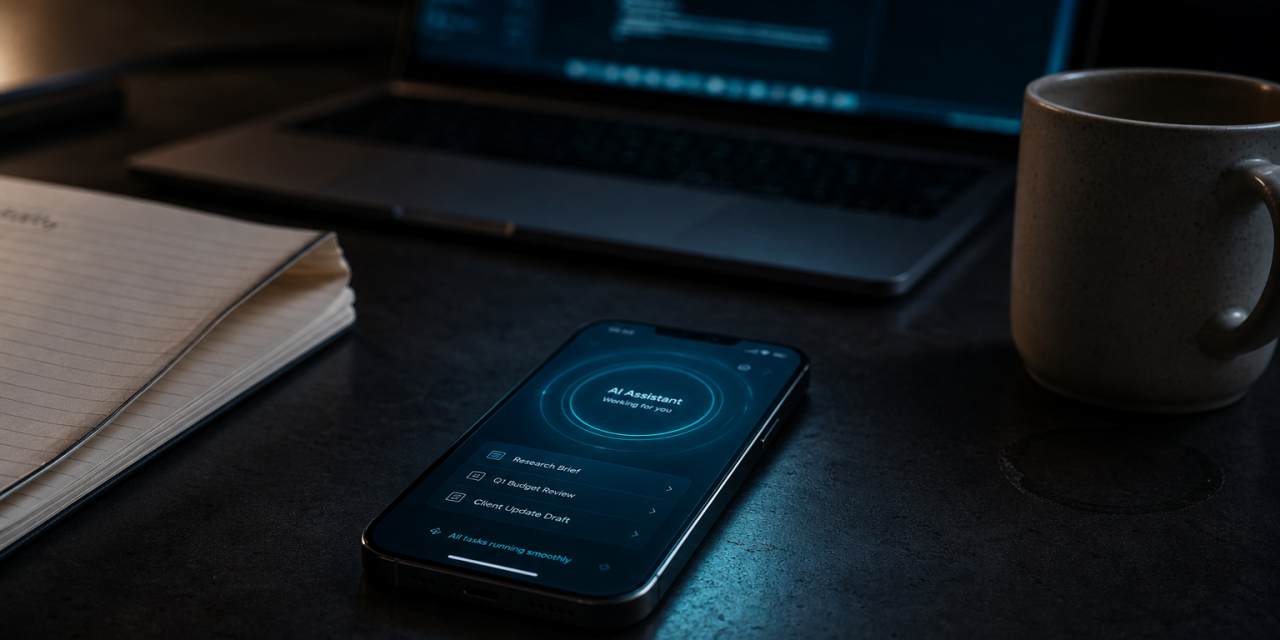
Gemini Spark is built for the jobs that usually sit between apps, inboxes, calendars, documents and browser tabs. Instead of waiting for a single prompt, Google’s 24/7 personal AI agent can work in the background, connect information across your digital workspace and help complete multi-step tasks while still operating under your direction.
Google describes Gemini Spark as a personal AI agent that can act across tools like Gmail, Calendar, Drive, Docs, Sheets, Slides, YouTube and Google Maps. It can synthesize your inbox, organize messy planning threads, surface invoices, build reminders and research options across the web. At the same time, Google says app connections are off by default and Spark is designed to check with you before taking major actions.
It runs on Gemini 3.5 Flash and Antigravity, according to Google’s official overview, and is designed to handle long-running tasks in the background. Google’s I/O 2026 announcement frames it as a shift from asking an assistant for information to delegating work to an agent.
The clearest difference is persistence. A standard AI chatbot responds when you ask something. Spark can keep working after the initial instruction. Google says it can continue even if your phone and laptop are turned off, because it runs as a cloud-based agent rather than as a local app that needs your device to stay awake.
How Gemini Spark works across your Google apps
Spark’s biggest advantage is not only the model behind it. It is the ecosystem around it. Google already owns many of the productivity tools people use every day, and Spark is built to connect natively with them once you choose to enable those connections.
Google’s overview lists native connections with Gmail, Calendar, Drive, Docs, Sheets, Slides, YouTube and Google Maps. The Gemini app announcement also highlights deep integration with Workspace tools such as Gmail, Docs and Slides. This gives Spark a practical foundation for tasks that require context from several places at once.
Tasks, Skills and Schedules
Google describes three building blocks that help unlock Spark’s full potential.
- Tasks let you put Spark to work inside your Google Workspace ecosystem. For example, it can process email threads, pull information from Docs and create or update Sheets.
- Skills let you define how Spark should handle things you do often. This reduces repetitive prompting because the agent learns your preferred workflow instructions.
- Schedules let you set time-based or condition-based triggers. Spark can run a task every Monday morning or respond when a particular kind of email arrives.
How Gemini Spark differs from regular Gemini
Regular Gemini is useful when you want to ask a question, write something, brainstorm or analyze content in a session. Gemini Spark is designed for ongoing action. It can keep context across tasks, run in the background and operate across connected apps.
The difference can be summarized in three shifts.
- From answer to action. Spark does not only explain what to do. It can help do the work, such as drafting, sorting, logging and updating.
- From session to continuity. Spark can continue a task beyond the moment you enter a prompt.
- From single app to workflow. Spark can combine Gmail, Calendar, Docs, Sheets and other tools into one process.
Wired described Spark’s key differentiator as its ability to proactively gather details and take action while you are away, rather than waiting for the next prompt. That is the core of the product. It is not simply smarter chat. It is delegated digital labor.
Availability and who can use Gemini Spark
At launch, Gemini Spark is not broadly available to everyone. Google’s official Spark overview says it is rolling out to trusted testers and will be available for Google AI Ultra subscribers over 18 in the United States, as well as select business users.
Privacy, permissions and control
Gemini Spark’s usefulness depends on access. Its risk also depends on access. If you connect Gmail, Calendar, Docs and other apps, the agent can work with more context. It can also touch more sensitive information.
Google addresses this in several ways in its public materials.
- App connections are turned off by default.
- You choose what to activate in settings.
- Spark operates under your direction.
- It is designed to ask before major actions.
- Google says it does not read your emails indiscriminately.
You should define boundaries, review outputs and avoid giving broad authority before you understand how it behaves.
Wired raised this point through the broader risk of agentic tools. When software can act on your behalf, errors can have consequences beyond a bad answer. A mistaken summary is annoying. A mistaken email, calendar change or purchase can create real problems. Google’s design choice to ask before high-stakes actions is therefore not a minor feature. It is central to trust.
What Gemini Spark means for everyday productivity
The most interesting promise of Gemini Spark is that it can remove small coordination burdens that pile up every day.
Think about the repeated tasks that drain attention.
- Checking whether a customer email needs a response.
- Turning meeting notes into a clean project brief.
- Finding receipts before an expense deadline.
- Comparing options across websites.
- Creating reminders from documents or emails.
- Summarizing school, work or community updates for a household.
None of these tasks is impossible. That is exactly the point. They are ordinary enough to repeat and annoying enough to matter. A good personal AI agent does not need to replace your judgment. It needs to reduce the amount of time you spend preparing information for judgment.
Where Gemini Spark still needs caution
Gemini Spark should not be treated as fully autonomous just because it can run in the background. Google itself says to check responses, supervise closely and interrupt when needed.
There are several areas where caution matters.
- Ambiguous instructions. If your request is vague, Spark may choose a path you did not intend.
- Sensitive communication. Drafted emails should be reviewed before sending, especially for work, money or personal matters.
- Financial actions. Any task involving purchases, invoices or bookings needs human confirmation.
- Data boundaries. You should be deliberate about which apps and accounts you connect.
- Workflow drift. Automated routines should be reviewed over time so they still match your needs.
The best use of Spark is supervised autonomy. Let it gather, sort, draft, compare and prepare. Keep final control over decisions that affect money, relationships, legal obligations or business commitments.
A personal AI agent is only as useful as the boundaries you give it. Gemini Spark may save time by acting in the background, but the smartest setup is not maximum access. It is the right access, paired with clear instructions and human review where the stakes are real.