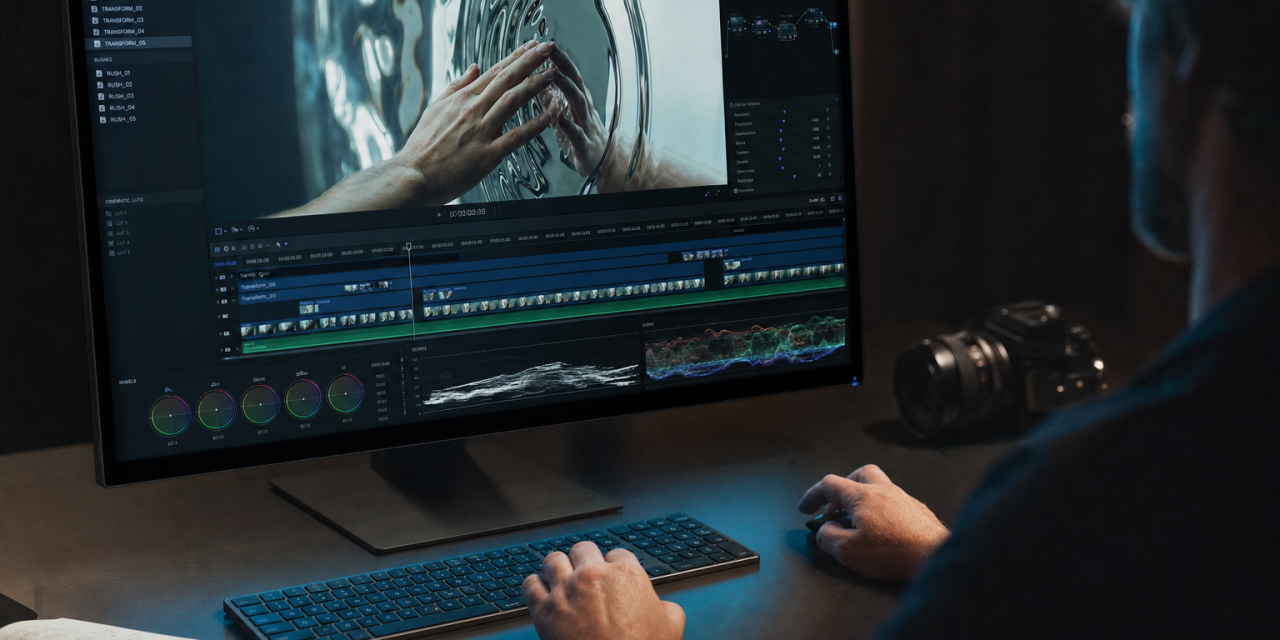
Gemini Omni is Google’s attempt to make AI video creation feel less like operating a stack of separate tools and more like directing a scene through conversation. Announced by Google as a model that can create anything from any input, starting with video, Gemini Omni combines text, images, audio and video into one creative workflow. The first model in the family is Gemini Omni Flash, now rolling out through the Gemini app, Google Flow and YouTube Shorts.
Google is positioning Omni as a natively multimodal model. That means you can provide a sketch, a voice reference, a video clip, a still image and written instructions, then ask the model to turn those ingredients into one coherent output. You can also keep editing through natural language, with each instruction building on what came before.
That matters for creators, educators, marketers, product teams and anyone who needs visual explanation. It also raises serious questions about provenance, safety, synthetic media and creative control. Gemini Omni is impressive because it makes complex video editing more accessible. It is also worth studying carefully because it brings realistic media manipulation closer to everyday workflows.
What Gemini Omni is
Gemini Omni is a multimodal generative AI model from Google that focuses first on video. Google describes it as the place where Gemini’s reasoning meets the ability to create. The first available version, Gemini Omni Flash, can take combinations of text, images, audio and video as input, then generate high quality video grounded in Gemini’s broader world knowledge.
This builds on Google’s previous work with Nano Banana, an image generation and editing model that helped users restore old photos, turn sketches into images and visualize ideas. Gemini Omni takes that direction into moving media. Instead of editing one frame or generating a clip from a text prompt alone, Omni is designed to understand context across multiple forms of input.
Google’s own examples show the range clearly. A user can ask Gemini Omni to make a sculpture appear to be made of bubbles. A video of a person touching a mirror can be transformed so the mirror ripples like liquid and the arm becomes reflective. A room can be dimmed while a surreal glass sphere floats above a hand and contains a recursive version of the same scene. These are not simple filters. They require the model to preserve scene structure while changing action, material, lighting and camera behavior.
The promise is a single creative surface. Instead of using one tool for text prompts, another for image references, another for motion transfer and another for audio timing, Gemini Omni tries to bring the whole process into one model. That is why some observers, including VentureBeat, describe it as part of a broader consolidation of the multimodal generative stack.
Why conversational video editing is the headline feature
The most useful Gemini Omni feature may be its conversational editing. You do not need to rebuild the scene from scratch every time you want a change. You can refine the same video across multiple turns. Google emphasizes that characters should remain consistent, physics should hold together and the scene should remember prior instructions.
A simple example is a violinist. You might begin with a video of someone playing. Then you ask Gemini Omni to move the violinist into a new environment based on a reference image. Next, you ask it to make the violin invisible. After that, you change the camera angle to an over the shoulder view. In a traditional workflow, each step could require manual compositing, rotoscoping, animation and continuity checks. In Gemini Omni, the intended experience is more like iterative direction.
Video work is usually difficult to revise. Small changes often affect lighting, perspective, motion blur, timing and continuity. If an AI model can keep track of the original scene while applying new instructions, it reduces friction dramatically. The creative process becomes less about producing the perfect first prompt and more about shaping the result over time.
What makes this different from ordinary video filters
A filter changes the surface of a clip. Gemini Omni aims to change the event inside the clip. That distinction is important. A filter might make a room look like a cartoon. Omni can attempt to add an object that interacts with the hand, synchronize apartment lights to music or transform a real object into a different material while preserving the motion and spatial relationship of the original shot.
Google DeepMind’s product page highlights several examples that show this deeper editing approach. A hand opening can reveal a miniature architectural structure based on a reference image. A sketch can become a physical flying machine floating above the palm. A whale’s swimming motion can be transferred to a reflective material shape without showing the whale or water. These are edits of action, geometry and meaning, not only visual style.
Gemini Omni and real world knowledge
Google is also presenting Gemini Omni as more than a visual generator. The company says the model uses Gemini’s world knowledge to create videos that are not only photorealistic but also more meaningful. That includes history, science, cultural context, physics and narrative logic.
This is where Omni becomes especially interesting for education and explanation. Google gives the example of a claymation explainer about protein folding. A weaker model might produce a pretty clay style animation that does not really explain the process. A stronger model needs to understand the concept well enough to choose useful visual metaphors, keep the movement accurate and avoid misleading simplification.
Another example involves an alphabet video where every letter is represented by an unusual item on a table, with matching lower thirds and rapid timing. That requires text rendering, object selection, sequencing, visual consistency and pacing. It is not just a matter of making a beautiful image. It is a structured media task.
Google also emphasizes improved intuitive physics. Gemini Omni is described as having better understanding of gravity, kinetic energy and fluid dynamics. In practice, this could mean marbles rolling more believably, liquids behaving less strangely and physical interactions looking less like dream logic. That matters because viewers often notice AI video failures through physics before they notice anything else. A hand can look realistic, but if an object floats or accelerates incorrectly, the illusion breaks.
Creating video from mixed inputs
Gemini Omni’s centralphrase is create video from any input. The deeper point is that mixed input gives creators more control. Text prompts alone are powerful, but they are vague. Reference images, audio files, existing videos and sketches provide anchors that a model can follow.
Google’s announcement outlines several ways this works. You can use an image to define a character. You can use a video to define motion. You can use audio to establish rhythm. You can use a drawing as a guide for movement without showing the drawing in the final clip. You can ask the model to preserve the room structure while changing plants into bioluminescent objects and adding synchronized harp sounds when each leaf is touched.
This is especially valuable because creative intent is rarely captured in one sentence. A director may know the mood from a reference image, the movement from a video, the character from a sketch and the timing from music. Gemini Omni tries to combine those references into one coherent clip.
- Text can define the concept, action, camera angle, style and constraints.
- Images can define characters, environments, materials or mood.
- Video can provide motion, camera movement, timing and spatial behavior.
- Audio can guide rhythm, synchronization and voice based avatar creation.
At launch, Google says only voice references will be supported for audio to start, with other audio input types planned later. The company also says output modalities such as image and audio will come in time. So while Gemini Omni is framed as an any input creative model, the first public phase is centered on video output.
Where Gemini Omni is available
Gemini Omni Flash is rolling out to Google AI Plus, Pro and Ultra subscribers globally through the Gemini app and Google Flow. It is also rolling out at no cost to users on YouTube Shorts and the YouTube Create app starting this week. Developers and enterprise customers are expected to get access through APIs in the coming weeks.
That rollout matters because the current version is mainly useful as a creative app experience rather than a production platform. Individual creators and small teams can experiment now. Larger organizations will likely need API access before Gemini Omni can fit into automated content pipelines, asset management systems, approval workflows or internal governance controls.
Google is working on a more powerful Gemini Omni Pro model for the next months.
Enterprise use cases beyond marketing videos
It is tempting to see Gemini Omni mainly as a tool for social content, ads or short entertainment clips. That will certainly be one use case, especially through YouTube Shorts. But the more interesting business uses may be less flashy.
Training teams could create short explainers for onboarding, compliance or internal processes without waiting for a full video production cycle. Product teams could turn rough interface flows into visual walkthroughs. Customer support teams could generate visual answers for common problems. Engineering and research teams could use Omni to visualize concepts, simulations or mechanical behavior for discussion.
VentureBeat points out that the value for enterprises may come from treating Gemini Omni as a programmable media engine, not just a creative app. That is a useful framing. If API access becomes robust, Gemini Omni could help companies generate localized versions of instructional videos, produce sales enablement materials, create scenario based training and prototype product concepts.
Still, production use requires caution. Google has not published broad public benchmarks for Gemini Omni at the time of the announcement. Quality, latency, cost and reliability will need to be tested in real workflows. Enterprises also need clarity around data handling, rights management, indemnity and acceptable use before putting AI generated video into customer facing channels.
Avatars, consent and synthetic identity
One of the most sensitive Gemini Omni features is avatar creation. Google says users can create videos with their own voice by using Avatars, which create a digital version of yourself so you can generate videos that look and sound like you.
This is useful for creators who want to produce videos without recording every take. It could also support training, presentations and personalized educational content. But voice and likeness are high risk areas. A tool that can make someone appear to say or do things must be designed around consent, verification and clear boundaries.
Google notes that beyond the avatar feature, broader video editing that changes audio and speech is still being tested so the company can understand how to bring that capability to users responsibly. That is an important limitation. Video realism without strong consent systems can undermine trust quickly.
Watermarking and content transparency
Every video created with Gemini Omni includes Google’s imperceptible SynthID digital watermark. Google says users can verify videos generated with Gemini Omni through the Gemini app, Gemini in Chrome and Google Search. Google DeepMind also notes that content created or edited with Omni in the Gemini app, Google Flow or YouTube includes SynthID and C2PA Content Credentials.
This transparency layer is not a minor detail. The ability to create realistic video from mixed inputs makes provenance essential. If a model can change a real video so convincingly that the edit looks captured rather than generated, viewers need reliable ways to understand how the media was made.
Watermarking is not a complete solution. Content can be copied, compressed, reuploaded or manipulated outside controlled platforms. But built in provenance is still better than treating synthetic media as an afterthought. For companies, publishers and platforms, the combination of watermarking and content credentials can become part of an audit trail.
The limits and risks of Gemini Omni
Gemini Omni is powerful, but it is not magic. Several limits are already clear.
- Access is still staged. Consumer and creator access comes before developer and enterprise API access.
- Benchmarks are limited. Public quality claims are based mainly on demonstrations and early reporting.
- Safety restrictions may affect workflows. Some users may find guardrails helpful, while others may find them restrictive.
- Legal questions remain. Generative video raises issues around likeness, copyrighted material, training data and disclosure.
- Model lock in is a risk. The market includes other fast improving video tools, so teams should avoid assuming one model will stay ahead forever.
There is also a cultural risk. As AI video becomes easier, the internet may fill with more low effort synthetic content. CNET describes this tension clearly: the same advances that make creative tools more capable can also contribute to feeds crowded with AI slop. Gemini Omni’s quality may raise the ceiling for useful video, but it can also lower the barrier for disposable media.
The sharper takeaway
Gemini Omni is best understood as a step toward AI systems that treat media as one connected language. Text, image, motion, sound and context are no longer separate stages in the workflow. They become ingredients in the same creative conversation.
The promise is speed and expressive control. The challenge is trust. The winners will not be the teams that generate the most video. They will be the ones that use tools like Gemini Omni with clear intent, strong provenance and enough human judgment to know when realism is not the same thing as truth.